How To Upgrade Your Minecraft Server Version
It is possible to simply one-click upgrade your existing server to a newer one with ease. This can be done within a minute.
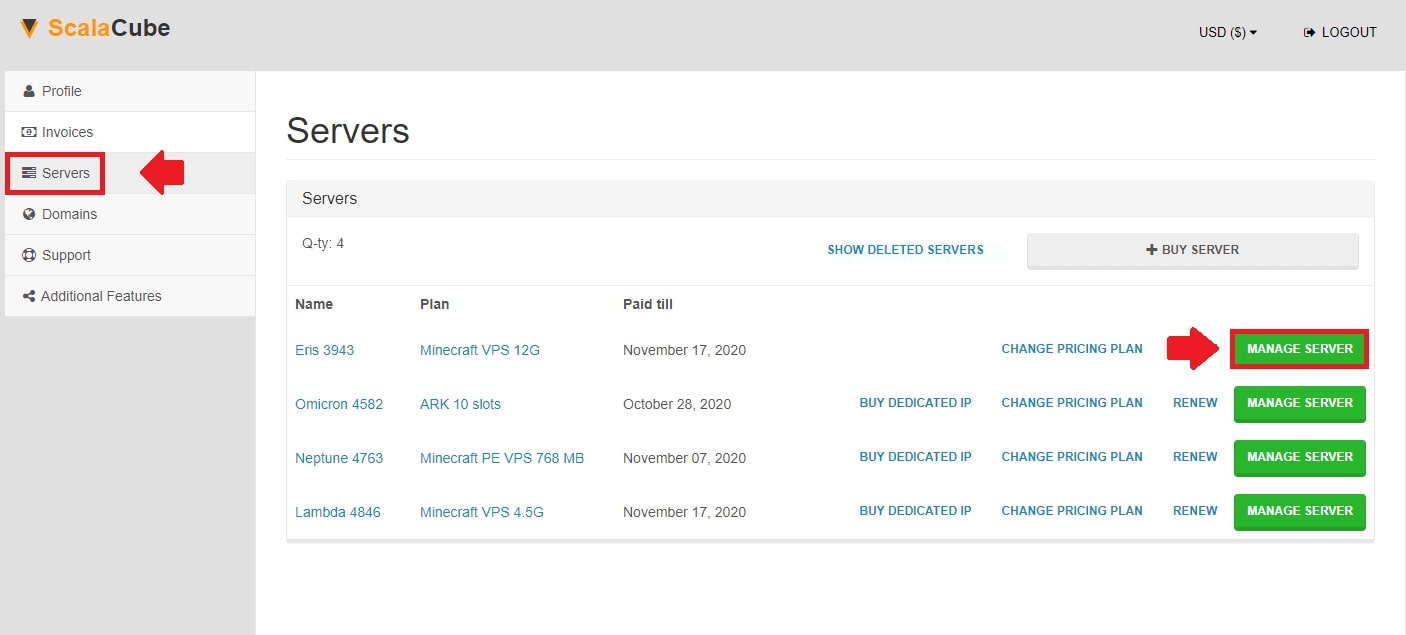
The first step is to go to Scalacube.com and log in to your account.

Click on "Servers" and then, "Manage server".
Click "Manage" again.
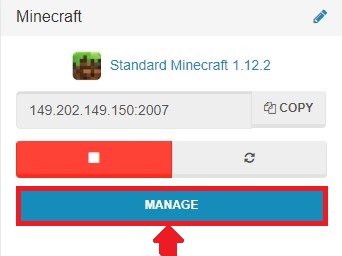
Locate the "Upgrade Minecraft Version" button from the right side and click on it.

Select your desired newer version from the dropdown list and click on "Upgrade", wait for the process to fully finish.
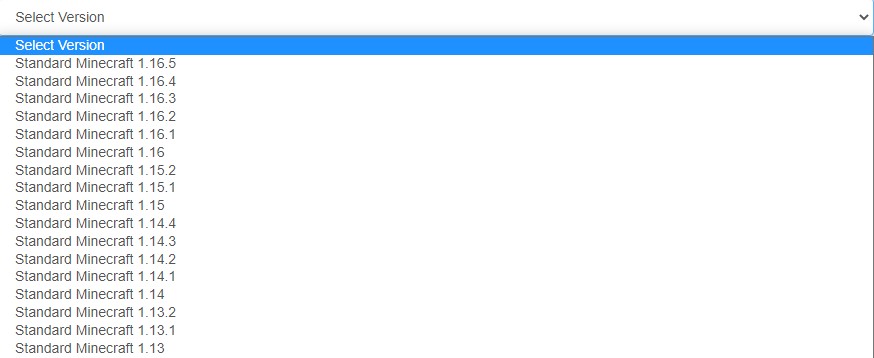

Your server is now upgraded to your desired version.
Summary:
- Log into website
- Go to Servers > Manage server > Manage
- Click on "Upgrade Minecraft Version" and wait for process to finish
To go to our Minecraft server hosting control panel, visit Scalacube.com
Make Your Own Minecraft Server
Your own Minecraft server is only 5 minutes away! We support simple one click install for over 3298 unique modpacks.
Start Your Minecraft Server Today!