How to Fix ARK "Unable to query server info for invite"
This can be resolved by connecting using a different method.
Open Steam then click View at the top left of the page then Servers > Favorites > Add Server.
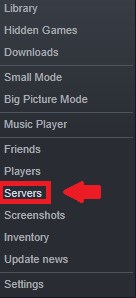
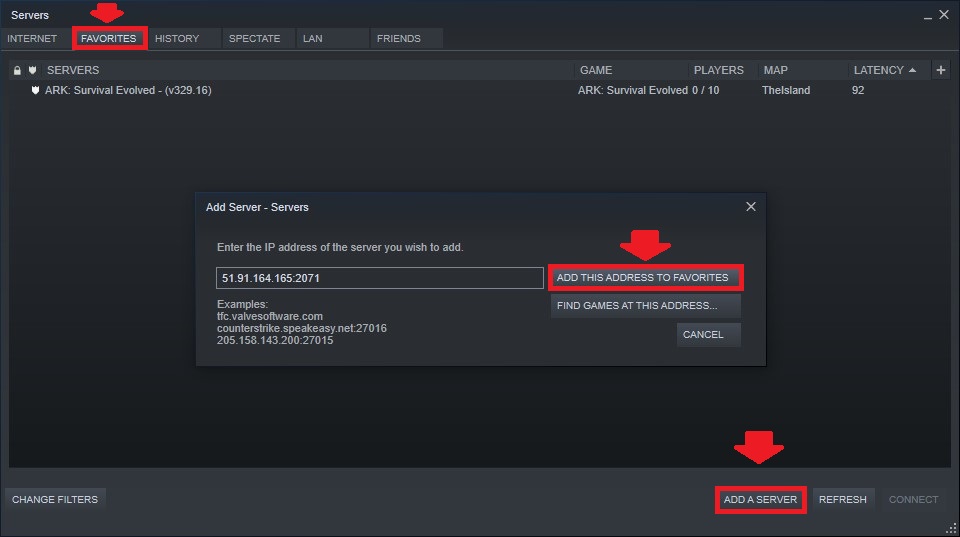
To go to our Ark server hosting control panel, visit Scalacube.com
Next, open ARK.
When the game is open, select "Join ARK".

On the bottom left, select the Filter option and choose "Favorites".
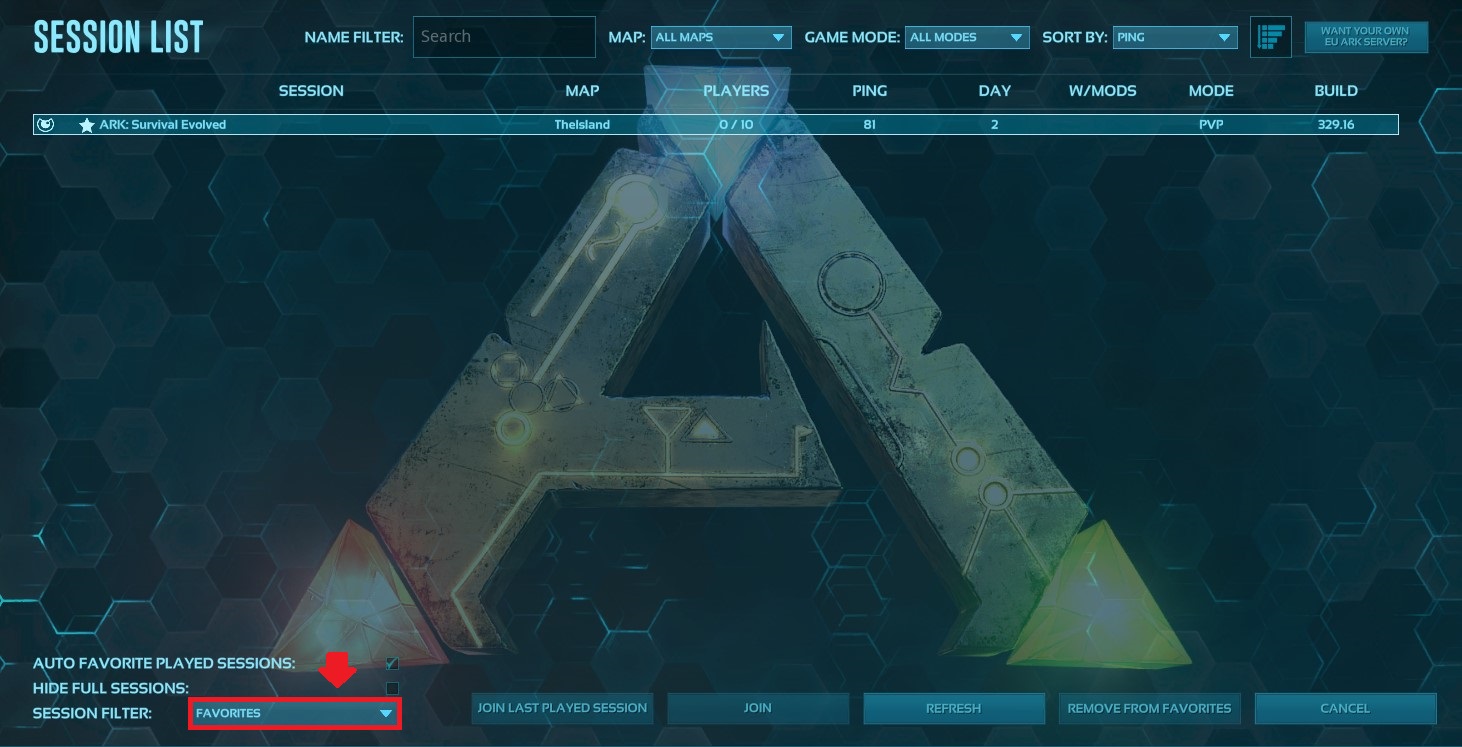
Connect to your server.
Summary:
- Add server to steam favorites list
- Start game and click on "Join ARK"
- Connect via list
Make Your Own ARK: Survival Evolved Server
Your own ARK: Survival Evolved server is only 5 minutes away!
Start Your ARK: Survival Evolved Server Today!