Scrap Mechanic Building a Repeating Timer
Scrap Mechanic is a creative survival game in which the main gameplay element is building complex machines and gadgets. The repeating timer is one of the most important parts in the process of making an automated system. In this guide, we will explore how to build a repeat timer, its components, functionality, and use it in your builds. A repeating timer is a mechanism that lets Scrap mechanic players set a chain reaction of actions. It can be used for a number of things, e.g. controlling lights, triggering traps or automating farming. Knowing how to build a repeating timer in Scrap mechanic and how to use it in your favor can make a big difference in your Scrap mechanic gameplay experience.
Things required to Build a Repeating Timer
Make Your Own Scrap Mechanic Server
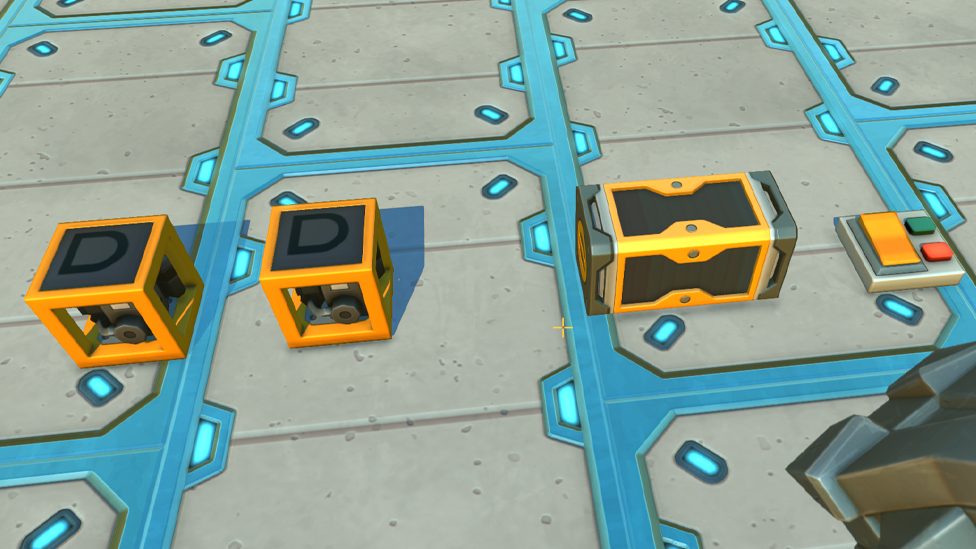
In Scrap Mechanic you will need several components to construct a repeating timer. You should be eyeing on the following elements: timers logic gates switches (optional) Timers are important because they control how often actions occur. You can set each timer to trigger after a particular time so you maintain total control over when your machine performs. Scrap mechanic Timers and other inputs signals are manipulated using logic gates like AND, OR, and NOT gates. The switches are used for manual controls to begin or stop the timer from working. When collecting material make sure you have enough resources to make more than one timer and logic gate. It will enable you to test out various settings and improve the performance of your repeating timer.
Let’s Build the Scrap Mechanic Repeating Timer
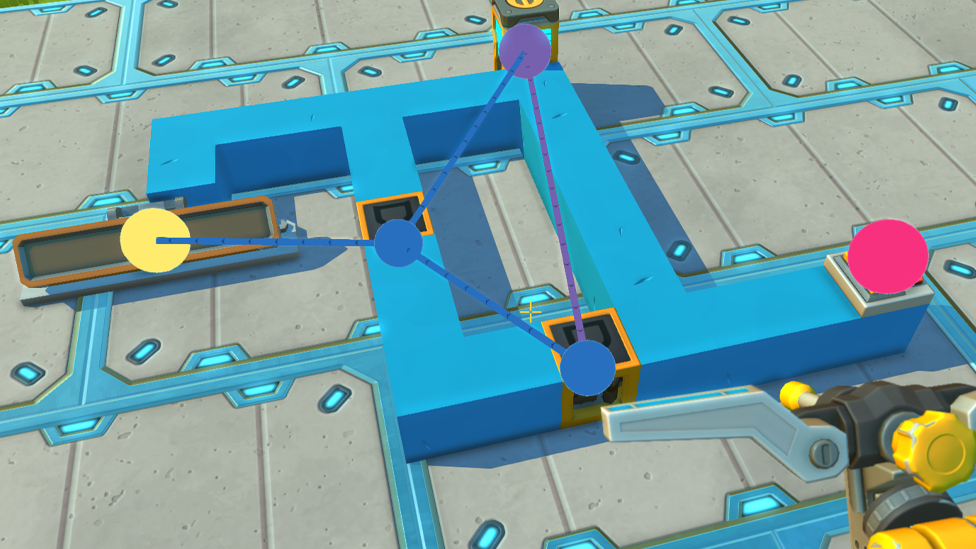
Now that you have all the parts, it’s time to start building repeating timer. Place your first timer on the ground. The primary control for your system is this timer. An output from this timer can then be connected to an AND gate. The next action will get executed based on certain conditions using the signal controller of the AND gate. Second, connect another timer to the output of the AND gate. It will create a delay and send a signal back to the first timer thus rounding off in a loop. This second timer’s output should be tied back to the first timer’s input. It totally depends on you how you want the machine to behave, and how you want to control the flow of signals between them, as these switches can be wired directly into your timers or logic gates.
Configuring Timer Settings
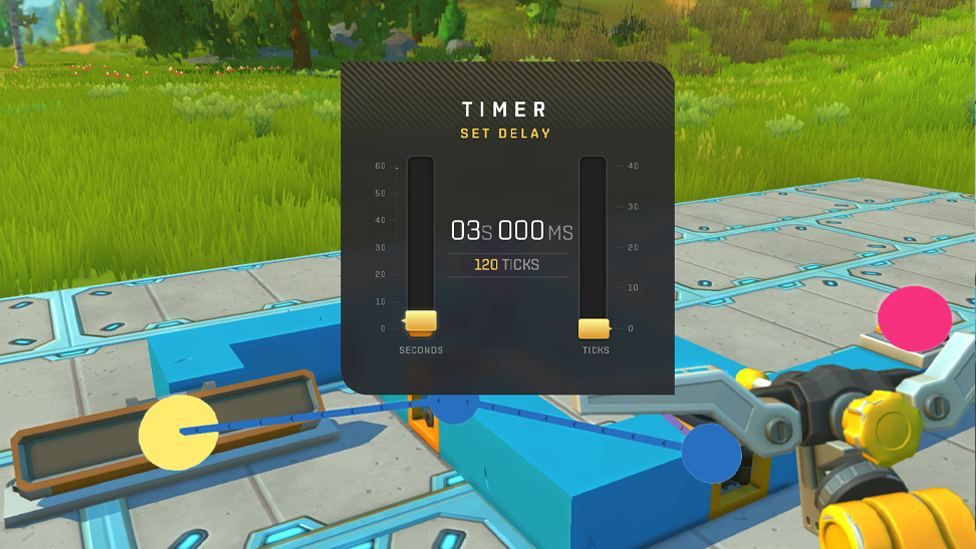
Once you have created your repeating timer circuit, you need to set up each timer’s settings. How long each timer waits before sending out a signal can be adjusted by you. This can be done by interacting with each timer and setting its duration to your liking. For example, if you want your repeating timer to pulse every two seconds, then you set the timer duration to two seconds each. Just keep in mind that if you have multiple timers in a sequence they can affect each other’s settings. Try different timing intervals to produce the effect according to your liking.
Testing Out The Repeating Timer in Scrap Mechanic
After successfully creating it, you can now test your Scrap Mechanic repeating timer. Power up your system with the switch and see how it works. You should see the output from your timers cycling through on the intervals you set. If something doesn’t do what you expect (e.g. It doesn’t repeat or activate too quickly), make sure your connections and configurations are correct. Ensure that all logic gates are properly wired and that no loose connections interfere with the sending of the signals.
Repeating Timers in real world use cases
Repeating Timers can be used in many creative ways in Scrap Mechanic. Below are some of the valid use cases: Automated Farming: Watering systems or automated harvesting mechanisms can be easily controlled using a repeating timer. Lighting Systems: Connecting lights to a repeating timer creates flashing lights or ambient lighting effects in Scrap Mechanic. Traps: For an additional challenge in a survival mode of Scrap Mechanic, players can design traps that activate at regular intervals with these repeating timers. Mechanical Devices: Construct machines that need very specific timing to work, a conveyor belt or sorting system for example.
Some advanced techniques with repeating timers.
If you want to supercharge your repeating timers functionality, you can add advanced techniques to add a twist. One method involves the use of multiple timers in conjunction with more complex logic gates like XOR or NAND gates. This gives you more control over when and how your signals go through your circuit. There's another advanced technique that creates interruptible timers, allowing you to stop and start operations without restarting the entire system. This is particularly helpful in situations where you want to lock down timing, but not lose progress.
FAQs
What components or elements are needed to build a repeating timer in Scrap Mechanic?
To make a repeating timer in Scrap Mechanic, players require timers, and logic gates (AND/OR), and switches for manual control.
How do I configure my repeating timer?
You can configure each of your repeating timers by changing their duration settings, and selecting how often you would like actions to take place within your circuit.
Can you give some applications of repeating timers?
Repeating timers can be used to farm automation, to set up lighting systems, to activate traps regularly or to control mechanical devices that must be switched on or off precisely.
If my repeating timer isn't working properly, what should I do?
If your Scrap mechanic repeating timer isn’t operating correctly, make sure you’ve got all the connections properly wired and each of the components set up correctly.
Conclusion
With a repeating timer in Scrap Mechanic there are many things you could do with automation and creativity. By understanding the required components, how they work in conjunction with each other, players are allowed to create complex systems which in turn bring about a dramatic improvement in their Scrap mechanic gameplay experience. If you’re automating farming tasks or creating complex machinery in Scrap Mechanic, then learning how to build effective repeating timers is a must have skill. If you’re a new or an old player keen on learning how to make Scrap mechanic server to take your multiplayer gameplay experience to the next level, you may want to use Scalacube services to easily host your own server.