How to Use the Item Bar in Monster Hunter Wilds
In Monster Hunter Wilds, management of your equipment and the ability to manage it while in the heat of the hunt can mean success or lugging back to camp. Amongst the most vital tools at your disposal is the Item Bar—a menu that makes quick use of items, enabling you to cycle through and use vital items like healing potions, traps, ammo, and buffs on the fly. Although it is a small feature on the surface, the Item Bar is one of the most strategic systems in the game.
This guide will cover how to employ and personalize the Item Bar in Monster Hunter Wilds, how to set up your quick item slots for certain playstyles, and when to swap items effectively in high-stress combat situations.
What is the Item Bar in Monster Hunter Wilds?
Make Your Own game Server
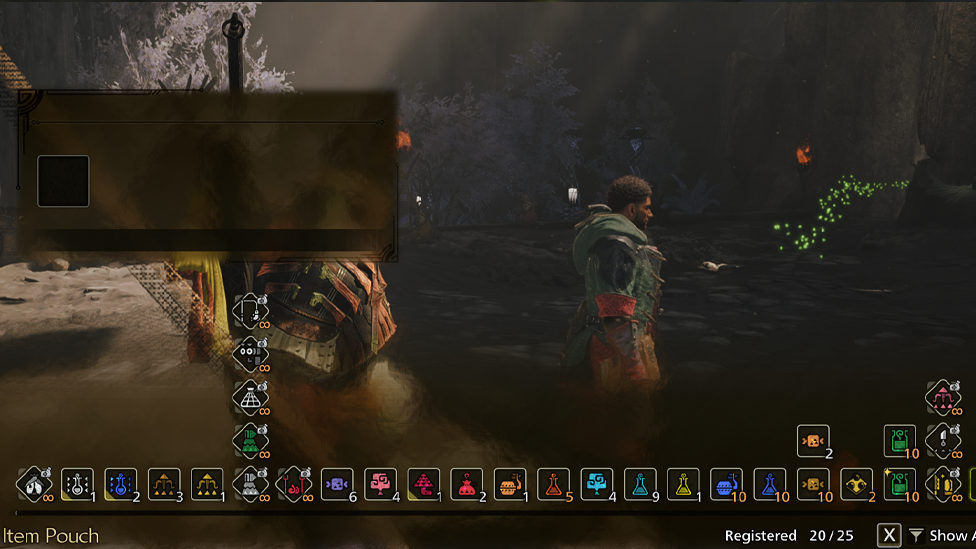
The Item Bar is a real-time, instant-access inventory menu at the bottom of your screen. It allows hunters to scroll through essential items without needing to open the full inventory menu, keeping the action flowing even during intense monster fights.
Whatever you're doing to deploy a Shock Trap, down a Mega Potion, or switch to Tranq Bombs for a capture op, the Item Bar is your friend. You can cycle on items on your shoulder buttons or quick-select wheel, whichever your control scheme happens to use.
The system has been enhanced in Monster Hunter Wilds, with more customization than ever before available, so it's up to you to set it up to your hunting style.
How to Personalize Your Item Bar
Personalizing the Item Bar is essential to efficiency. Here is how to do it:
- Gain Access to Your Inventory: From your camp or tent, go to the item management menu.
- Item Loadouts: Store personalized item loadouts for different monsters or biomes. You can organize different presets for poison-heavy hunting or elemental battles.
- Configure Item Slots: Place your most used items (e.g., Healing Potions, Rations, Traps) near the top of your bar so they're easy to cycle to in combat.
- Use the Radial Menu: To have even faster access, fill key items to the radial menu. This will allow you to use items like traps or bombs with an analog stick flick and button tap. The more you've got your bar set up, the less time wasted fumbling at a clutch battle.
When Would You Use the Item Bar During Combat?
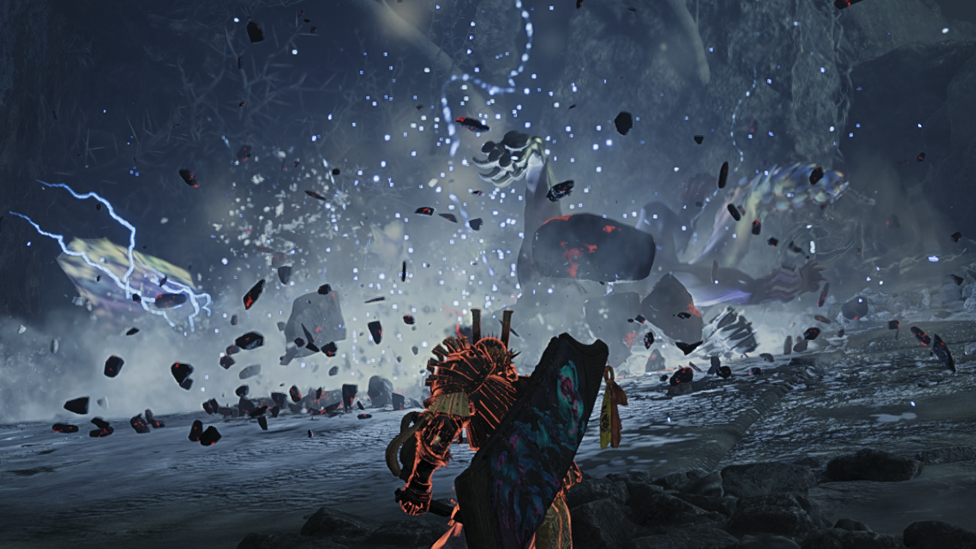
A second's time is all Monster Hunter Wilds is. Using the Item Bar effectively can put you into the fight.
- Before a Battle: Buff before a fight, use status-boosting items like Demon Drugs or Armorskins.
- During Combat: Use mid-combat healing, use traps, or switch into element ammo in order to take advantage of an enemy's weak point.
- After Battle: Use Whetstones or set up buffs for the upcoming round. Practicing when and how to use the Item Bar without freezing or slowing down will enhance your survivability and increase your hunts' speed.
Common Mistakes to Avoid
- Overloading the Bar: Don't overfill the Bar. Hold only the most necessary 6–8 items for that particular quest.
- Not Ordering Items in Sequence: Items are cycled in order. Placing Antidotes after Buffs will squander scroll time on a poison fight.
- Not Saving Item Bar Loadouts: Save your default Item Bar configurations at odd hours. Saves time and avoids errors on high-stakes hunts.
Best Item Bar Setups for Each Build
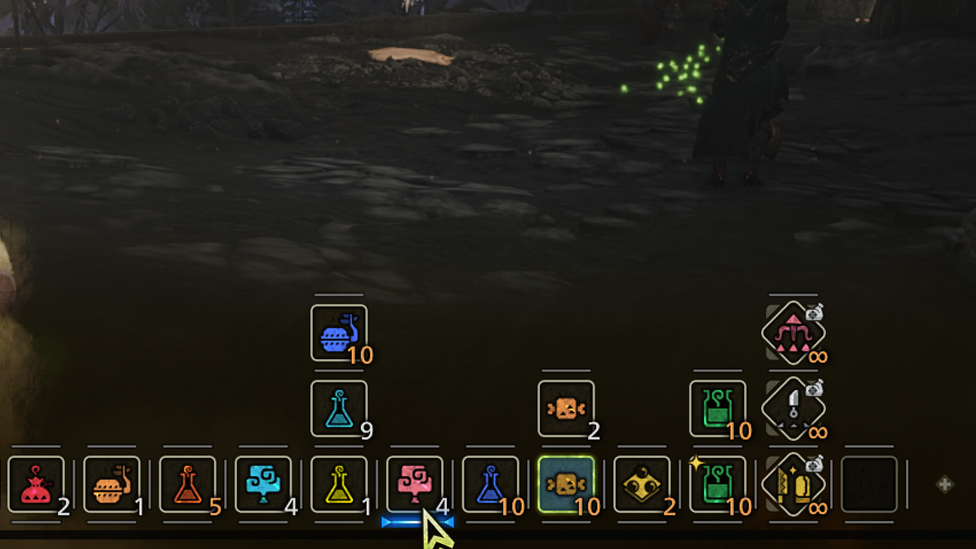
Go through these simple setup ideas for common builds: Blademaster Melee Setup:
- Mega Potion
- Goat Super Defense Potion
- Whetstone
- Ration
- Trap Tool
- Shock Trap
- Tranq Bomb
Bowgun or Ranged Setup:
- Ammo Coatings
- Health Regen Item
- Cleanser
- Buff Items
- Traps
- Tranq Bomb
Support Role Setup:
- Health Boosters
- Dust of Life
- Traps
- Buffs
- Signal Tools (co-op) Change these setups to fit how you like to play, and using your items will start to feel easy and natural.
Why Choose Scalacube for Monster Hunter Wilds Multiplayer?
Whether you're farming items, hunting large monsters, or experimenting with new builds, nothing ruins a hunt quite like lag or disconnection. That's why Scalacube offers dedicated Monster Hunter Wilds server hosting to enable you to have complete control and lag-free multiplayer gameplay.
Scalacube offers private server configurations where you have the freedom to personalize your world—adjust drop rates for items, turn mods on, or even invite friends over for private guild sessions. With 24/7 access, quick setup, and tech support, you won’t have to worry about connection problems during your hunt. Collecting items and keeping your Item Bar neat is much easier without server lag.
If you want to improve your loadout and hunting, Scalacube is the very best choice to make your game better. Host your own server, lead your guild, and defeat every monster your way.
Frequently Asked Questions (FAQs)
How can I change items in the Item Bar very quickly?
You can use the Radial Menu or set quick buttons in the settings to use items right away without going through them one by one.
What's the advantage of utilizing custom loadouts?
Loadouts enable you to gear up for specific monster fights instantly without having to rebuild your Item Bar from scratch each time.
Can the Item Bar be used in multiplayer hunts?
Yes. Synchronized healing and trap use via the Item Bar is essential for smooth multiplayer action.
Final Thoughts on Monster Hunter Wilds
The Item Bar in Monster Hunter Wilds isn't just for saving time only; it is very key in hunting well. It lets you heal, set traps, use buffs, and control elements so you can keep moving during a fight. Being able to quickly customize and grab your items is a big help, whether you're hunting alone or with friends.
So, before you embark on your next adventure, take a minute or two to spruce up your Item Bar. Those seconds can mean life or death when you're face-to-face with an enraged Diablo or are trying to make a perfect capture.
Get equipped, optimize wisely, and tame the Wilds—one handy-access slot at a time.