Minecraft Cactus Guide
Make Your Own Minecraft Server
Your own Minecraft server is only 5 minutes away! We support simple one click install for over 3298 unique modpacks.
Minecraft Server Hosting
When counting the flashiest plants in Minecraft, cactus doesn't even matter. But don't be fooled, knowing how to use Cactus in Minecraft will save you a love of time, help you to survive longer, and makes up for XP or items when you farm it. In this guide, we’ll show you everything about the Minecraft cactus, from how to grow it, to why it matters, and how to build a simple cactus farm that works using Minecraft game server.
What is Minecraft Cactus?
Make Your Own Minecraft Server
Your own Minecraft server is only 5 minutes away! We support simple one click install for over 3298 unique modpacks.
Start Your Minecraft Server Today!
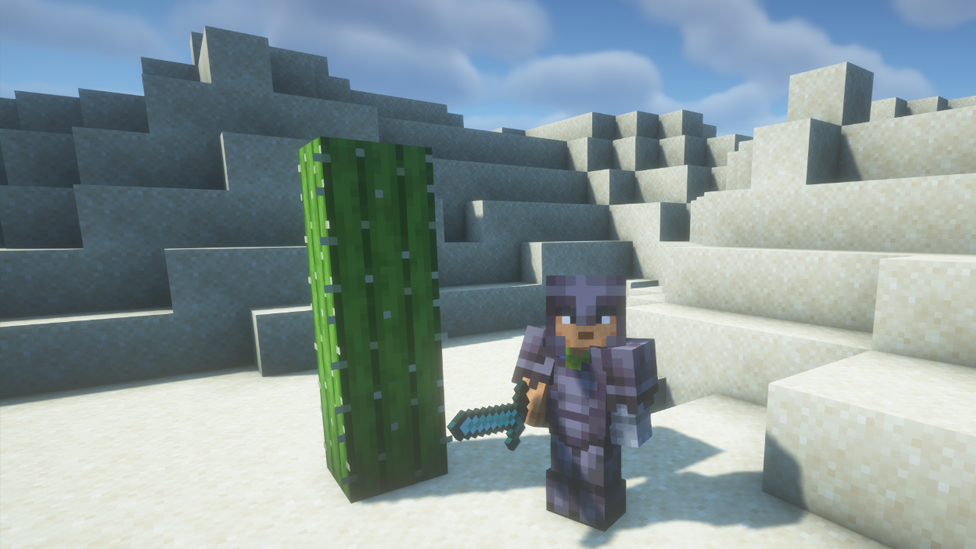
Found in Minecraft’s badlands and deserts, cactus is a green, spiky plant that is very useful. It’s tall, pointy, and can hurt mobs or you if touched. But its real power comes from how it can be used.
Basic Minecraft Cactus Facts
- Can grow up to 3 blocks high
- Can be placed only on sand
- Damages anything that touches it
- Breaks items that fall on it
- Can be smelted into green dye
Where to Find Cactus in Minecraft
You can find cactus growing naturally in:
- Desert biomes
- Badlands biomes
- Some chests in desert temples and villages All you need is one cactus to start your own farm.
How to Grow Cactus in Minecraft
Growing cactus in Minecraft is very easy, but it does have a few rules.
Rules For Growing Minecraft Cactus
- Only grows on sand .You can’t plant it on dirt, grass, or stone.
- Needs open space. A cactus block will break if there’s another block right next to it. Leave all sides clear.
- No water needed. Cactus don't need light or water to grow.
Steps to Grow Minecraft Cactus
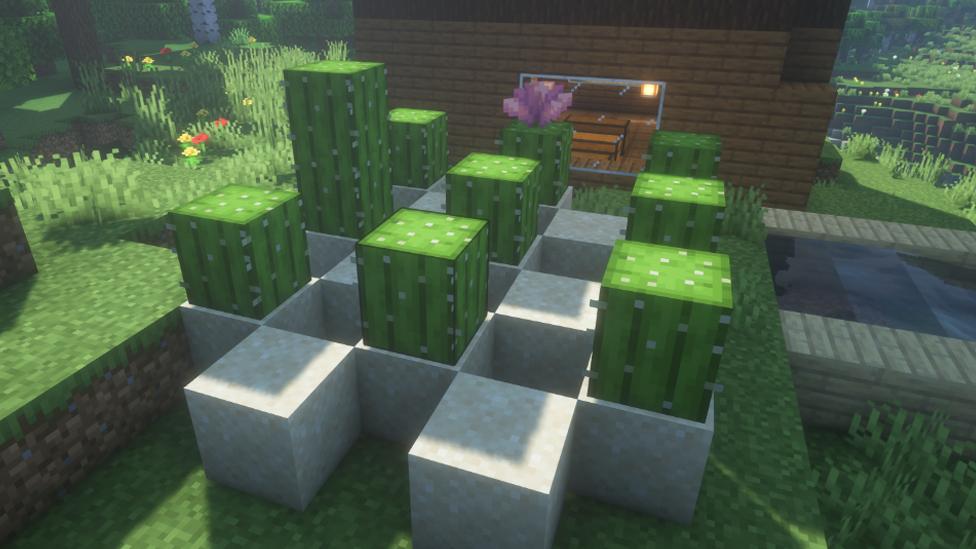
- Place a block of sand.
- Place your cactus on top.
- Leave the blocks next to it empty.
- Wait, it'll grow naturally up to 3 blocks high.
Why Grow Minecraft Cactus?
Cactus might not feed you or make tools, but it’s still one of the best plants in the game for certain uses
-
Green Dye Put cactus in a furnace, and you’ll get green dye. This dye is great for banners, beds, and customizing armor or wool.
-
Mob Defense Placing cactus around your base can stop mobs from getting too close. It’s like having a free defense wall.
-
XP Farm Smelting cactus gives XP. Combine it with a fuel source and hopper system, and you have an easy way to get experience points without fighting mobs.
-
Trash Disposal Since cactus destroys any item dropped on it, you can use it to get rid of unwanted stuff like extra dirt, broken tools, or zombie flesh.
How to Build a Simple Cactus Farm
Here’s how you can make a small cactus farm that works in both survival and multiplayer worlds.
Basic Cactus Farm (Manual)
- Make rows of sand blocks.
- Plant cactus on each sand block.
- Leave space between each cactus so they don’t break.
- Let them grow and harvest manually.
Automatic Cactus Farm
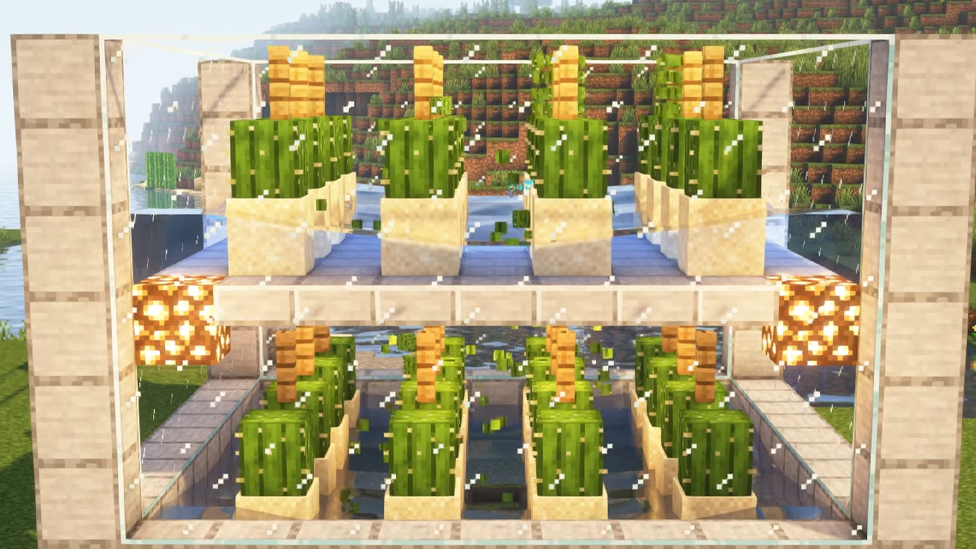
You can automate cactus farming using fences, water, and hoppers.
- Make a 5x5 square platform using sand on top of blocks.
- Place cactus blocks on the sand.
- Put a fence or glass block next to where the cactus will grow. When it tries to grow, it touches the block and breaks.
- Water flows below to carry the broken cactus to a hopper.
- Hopper feeds into a chest. This farm can run while you explore or mine. No redstone needed.
Better With Scalacube
Imagine your cactus farm gets so big that your single-player world lags every time it harvests. Or maybe your friends want to join and build their own farms too. That’s where Scalacube comes in.
Here’s How Scalacube Helps ⦁ Custom Performance Settings: Upgrade your server anytime. Add more RAM or CPU if your cactus farm gets huge.
- Auto Backups: Accidentally broke your farm? Restore it with one click.
- Plugin Support: :Add economy or shop plugins so players can sell cactus dye for in-game money.
- Multiple Worlds: Create different worlds one for farming, one for PvP, one for building.
- 24/7 Uptime.
Whether you’re a solo builder or running a server with friends, Scalacube makes it easy to grow more than just cactus.
Tips and Tricks for Cactus Farming
Here are some extra cactus tips that many players don’t know:
- Use Pistons: In Redstone farms, pistons can break cactus blocks faster than natural growth.
- Combine with Bamboo: Bamboo is a fast-growing fuel source. Use it to smelt cactus nonstop.
- Sell in Shops: In multiplayer modes, cactus dye can be turned into in-game currency.
- XP Loop: Set up a furnace loop using hoppers and levers. Collect XP anytime the furnace is full.
Common Minecraft Cactus Mistakes
Mistake 1: Placing blocks too close to the cactus.
How to Fix: Leave one block of air on all sides.
Mistake 2: Planting on the wrong block.
How to Fix: Use sand only, not dirt or gravel.
Mistake 3: Expecting fast growth.
How to Fix: Be patient or build a bigger farm.
Best Time to Start a Cactus Farm
The best time to start is right after you find your first desert biome. Cactus farms are easy to build and help you build XP farms or trade systems later in the game. If you're on a multiplayer server, you can even monetize your cactus farm with shops or plugins.
FAQs
What Can I Use Cactus for in Minecraft?
You can use cactus for green dye, farm XP, dispose items, and base defense.
Can a Cactus Grow Without Water in Minecraft?
Yes. A cactus doesn’t need water or light to grow. It only needs some sand and space.
Is Minecraft Cactus Useful in Multiplayer Modes?
Minecraft Cactus is great for automated farms, in-game trading, and XP farming.
Conclusion
As much as cactus is a plant that hurts you if touched, its real power comes from how it can be used. It might not be the most flashy plant in Minecraft, but it's a game changer plant that can offer incredible satisfaction. A cactus is an incredible plant that helps in both survival and multiplayer modes. If you're thinking of using it to create an efficient farm, it's a valuable resource you should have in your Minecraft toolkit.
Make Your Own Minecraft Server
Your own Minecraft server is only 5 minutes away! We support simple one click install for over 3298 unique modpacks.
Start Your Minecraft Server Today!