How to Use Conduits in Minecraft
Make Your Own Minecraft Server
Your own Minecraft server is only 5 minutes away! We support simple one click install for over 3298 unique modpacks.
Minecraft Server Hosting
Ever found yourself deep underwater in Minecraft, gasping for air while mining for prismarine or exploring a ruined ocean monument? Yeah, we’ve all been there. That’s why you will need conduits in Minecraft. If you’ve ever asked yourself how to use conduits in Minecraft, this is the guide you’ve been looking for.
Let’s dive in, break down exactly what these magical underwater blocks do, how to make them work, and why you need secure Minecraft server hosting for optimum gaming experience .
What Does a Conduit Do in Minecraft?
Make Your Own Minecraft Server
Your own Minecraft server is only 5 minutes away! We support simple one click install for over 3298 unique modpacks.
Start Your Minecraft Server Today!
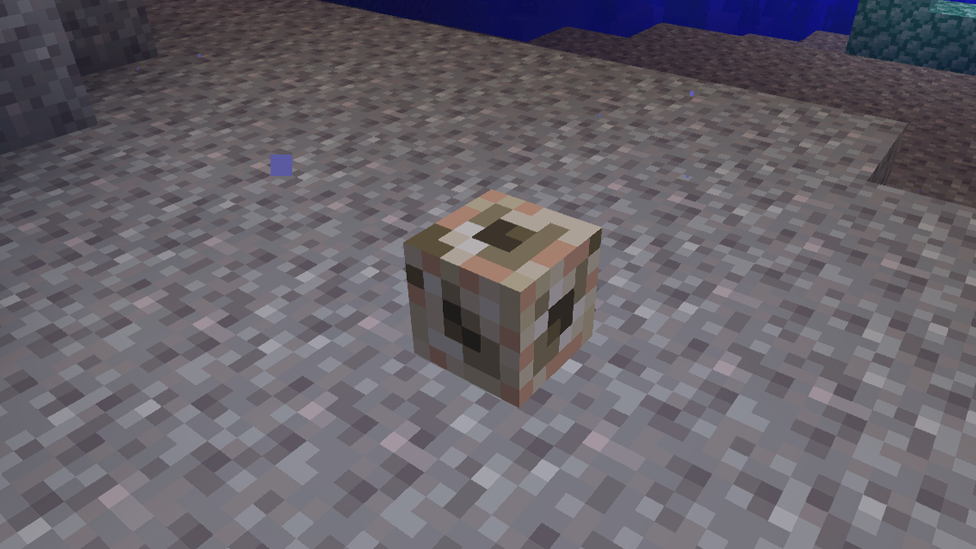
Before we get into the how, let’s talk about the why and what conduit does in Minecraft. A conduit grants Conduit Power. Essentially, conduits in Minecraft are buffs that give you Water Breathing, Night Vision, and Haste abilities while underwater. Think of it like a beacon, but for the ocean. It makes underwater builds, mining, and exploring not just possible, but easy.
The Minecraft conduit also damages hostile mobs like guardians and drowns within its active range, making it a great tool for underwater defense. So if you’re tired of being ambushed by drowning while trying to mine sea lanterns, this one’s for you.
How to Get a Conduit in Minecraft
Now that you know what it does, let’s talk about how to get conduit power in Minecraft. First, you need to build a conduit in Minecraft, and that requires some rare materials: Materials Needed
- Heart of the Sea (1): These are found in buried treasure chests.
- Nautilus Shells (8): These can be fished or dropped by drowned mobs.
Craft a Minecraft conduit by surrounding the Heart of the Sea with eight Nautilus Shells in a crafting table. Boom!!! You now have a conduit!
How to Activate a Conduit in Minecraft
Having a Minecraft conduit is cool, but it’s useless until activated. To activate it, you’ll need prismarine blocks and quite a few of them. These come from ocean monuments or can be crafted from shards dropped by guardians.
Conduit Frame Requirements
- Minimum of 16 prismarine blocks to activate it
- Maximum of 42 blocks for full power
Set Up a Conduit in Minecraft
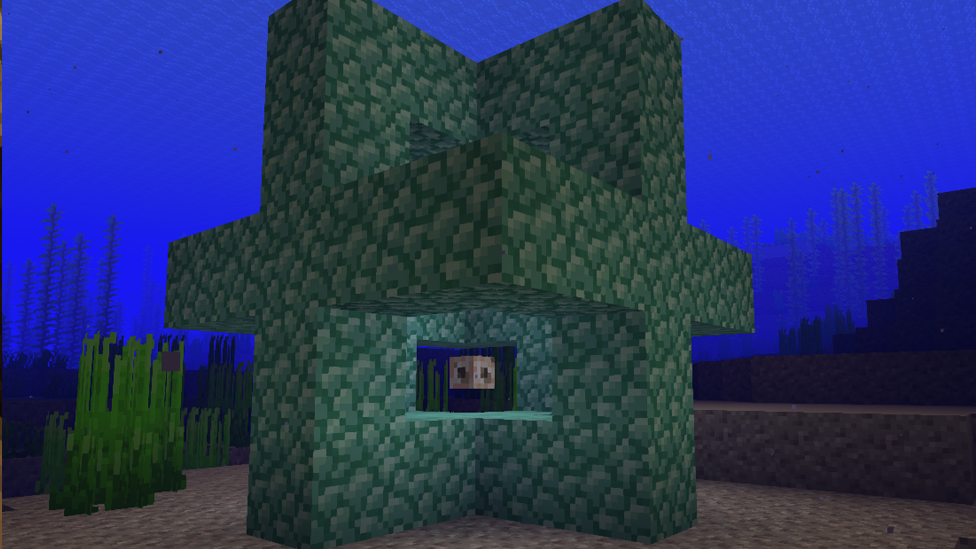
Once set up correctly, the conduit will start glowing and pulsating, signaling it’s active. Now you’re officially getting Minecraft conduit powers.
- Build a 5x5 open square frame underwater with prismarine blocks.
- Place the conduit in the center block of the frame.
- To reach full power, expand the frame into three complete layers of prismarine in a cage-like structure.
Minecraft Conduit Setup Guide
When done correctly, your Minecraft conduit will float and activate with particles swirling around it. If it doesn’t glow, double-check your frame as it’s usually just one block off.
Trust me, once you nail the setup, you’ll wonder how you ever built underwater bases without it. Here's a simple Minecraft conduit setup guide:
- Go underwater to where you want your conduit.
- Clear a 3x3x3 space.
- Structure your prismarine blocks to form a hollow square (ring shape).
- Add a second layer around the first for more power.
- Add a third layer for the max 96-block effect radius.
- A minimum of 16 blocks is required. They produce an effective range of 32 blocks.
- Place your conduit in the center.
Why Use a Conduit in Minecraft?
The benefits of using a conduit in Minecraft are huge, especially if you’re doing any serious underwater exploration or building. Here’s what makes them so valuable:
- No more drowning: With Conduit Power, you can breathe underwater as long as you're in range.
- Better visibility: Night Vision makes the murky ocean clear as day.
- Faster mining: The Haste effect means quicker block breaking, perfect for building or digging.
- Mob protection: Hostile underwater mobs like drowned take damage when they enter the active zone. All of these combined make the Minecraft conduit guide essential for survival and creative players alike.
How to Use Conduits in Minecraft for Underwater Builds
If you’re like me and love creating epic underwater bases, then you’ll love how to use conduits in Minecraft to support those builds.
Place the conduit near your construction zone. As long as you stay within the 96-block effect radius (when fully powered), you’ll have endless air, light, and mining speed. This means no constant trips to the surface, no potion guzzling, and no helmet swapping.
Place glowstone or sea lanterns around the conduit frame, and it’ll light up your build even more and look super cool.
Tips for Maximizing Conduit Power in Minecraft
Ready to master Minecraft conduit powers? Here are some pro tips:
Center It
Always center your conduit relative to your building or mining site to maximize the coverage area.
Use Full Frames
Go for the full 32-block prismarine frame whenever possible. It’s worth it for the extra range and damage effect.
Stack Them
If you’re building huge bases or tunnels, use multiple conduits spaced out for continuous coverage.
Decoration Matters
Don’t just slap down some prismarine blocks. Design the frame to match your base style so it can look like a coral reef shrine, sea temple, or even a glowing beacon tower.
Common Mistakes When Using a Conduit in Minecraft
Even experienced players mess this up sometimes. Follow the Minecraft conduit tutorial carefully, and you'll avoid these headaches. Here are a few pitfalls to avoid:
- Misplaced conduit: If it’s not dead center, the structure won’t activate.
- Wrong blocks: Only prismarine blocks, dark prismarine, or sea lanterns count, not regular stone or quartz.
- Incomplete frames: Partial setups might activate the conduit, but without full range or hostile mob damage.
How to Use a Conduit for Ocean Monument Raids
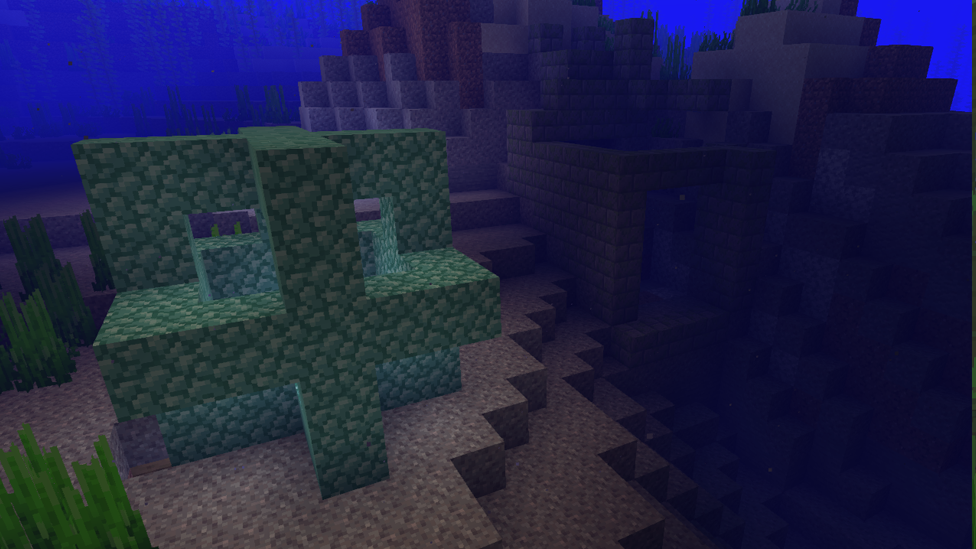
Here’s a clutch strategy if you’re taking on an ocean monument full of guardians:
- Place your conduit near the entrance or inside the monument.
- Use the Minecraft conduit setup guide to activate it.
- Enjoy water breathing and Haste as you fight off enemies and mine the rare blocks inside.
Power Up Your Underwater World: Why ScalaCube Is the Perfect Server for Conduit Builds in Minecraft
Using a ScalaCube server for your Minecraft world enhances the entire conduit experience. With reliable uptime and low-latency performance, you can explore ocean monuments, build epic underwater bases, and activate Minecraft conduit without lag or interruptions.
ScalaCube’s customizable server settings let you fine-tune mob behavior, chunk loading, and world generation, perfect for maximizing conduit power and range. Plus, their instant setup means you can dive into underwater adventures fast, whether solo or with friends. Hosting a multiplayer session? ScalaCube makes it smooth and stable, so everyone benefits from conduit effects in real time.
FAQs on How to Use Conduits in Minecraft
What Does a Conduit Do in Minecraft?
A conduit grants Conduit Power, which gives players Water Breathing, Night Vision, and Haste while underwater. It also damages hostile mobs like drowned and guardians within its range, making it ideal for both building and defense underwater.
How Do You Craft a Conduit in Minecraft?
To craft a Minecraft conduit, you need materials such as 8 Nautilus Shells and 1 Heart of the Sea. Place the Heart of the Sea in the center of the crafting table and surround it with the shells. This will give you one conduit.
How Do You Activate a Conduit in Minecraft?
You activate a conduit by placing it inside a frame made of prismarine blocks underwater. The frame must have at least 16 prismarine blocks to activate, but using all 42 possible blocks gives you full power and a 96-block effect radius.
Why Should You Use Conduits When Exploring or Building Underwater in Minecraft?
Conduits remove the need for water-breathing potions or constantly surfacing for air. They also improve visibility and mining speed and protect you from hostile mobs, making underwater construction and monument raids far easier and safer.
Final Thoughts
Minecraft conduits are a game-changer for underwater explorers. You can craft one from a Heart of the Sea and Nautilus Shells. Placing it in an appropriately built prismarine structure provides access to such potent features as underwater breathing, nighttime vision, and rapid mining. These are benefits that facilitate actions such as delving into ocean monuments or harvesting sea lanterns easily and safely.
To get maximum use out of a Minecraft conduit, you must place it in the optimal spot for most coverage and have the frame constructed correctly. If you have never employed a conduit in your life, you are missing out on one of Minecraft's most underappreciated mechanics.
Make Your Own Minecraft Server
Your own Minecraft server is only 5 minutes away! We support simple one click install for over 3298 unique modpacks.
Start Your Minecraft Server Today!