Schedule 1 Multiplayer Guide
Schedule 1 starts you off small — just you, some dirt weed, and dreams of taking over Hyland Point. But let’s be real: running an empire is way more fun when your crew is along for the ride. That’s where the multiplayer Schedule 1 mode comes in. Want to mix drugs, dodge cops, and climb the criminal ladder with your besties? This guide breaks it all down so you can get rich together.
Why Multiplayer in Schedule 1 is a Game-Changer

Make Your Own game Server
Sure, you can play solo, but do you want to? Multiplayer Schedule 1 transforms the grind into a full-blown crew operation. You’re no longer just one sketchy dude with a basement grow setup — you’re part of an organized syndicate. With up to three friends by your side, you can divide and conquer. One grows the goods, one cooks, one handles deliveries, and one… maybe just pets the cats and stashes money. And yes — all of you will be crashing in the same Hyland Motel room, so get cozy.
How To Play Multiplayer Schedule 1
Getting started is pretty straightforward — once you know where to click. Here's your step-by-step guide for how to play multiplayer Schedule 1 like a pro.
Step 1: Head to the Main Menu
Boot up the game and get to the Main Menu. You’ll see your Steam Avatar chilling in the top-right corner. That’s your multiplayer hub.
Step 2: Click the '+' Icon
Next to your avatar, you’ll spot a small “+” icon. Click it, and a list of your Steam friends will pop up.
Step 3: Invite the Crew
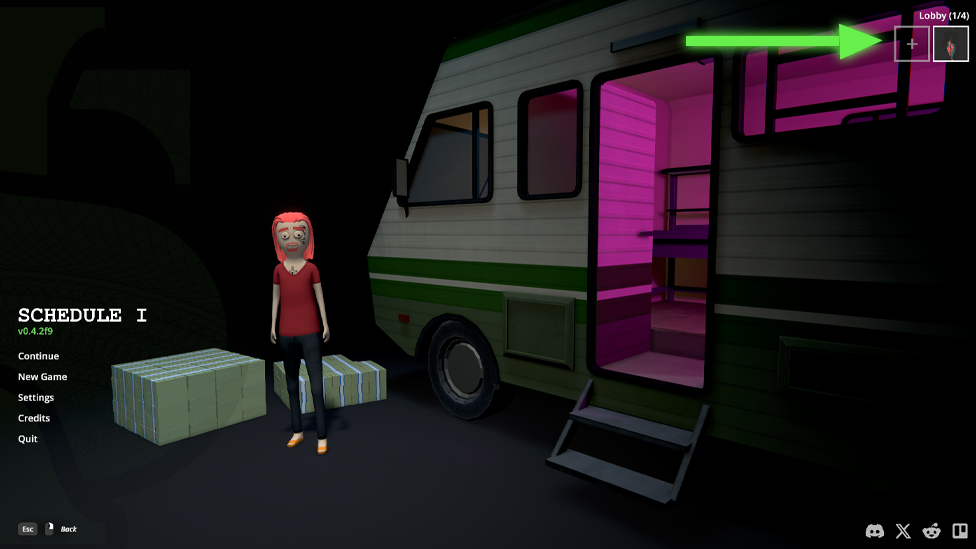
Scroll through your friend list and click on the names of the homies you want to invite. Once they accept, their profile pics will appear beside yours, locked and loaded for the empire-building ahead.
Step 4: Start the Game
Once everyone’s in the lobby, hit Start Game and dive into your new life of crime together. You’ll all spawn in the same motel room, which makes things super chaotic and fun right from the jump. That’s how to multiplayer Schedule 1 the right way.
Important Multiplayer Notes
Before you go throwing money around or assigning cook duties, keep these crucial rules in mind:
No Invites After Solo Start
If you start a game solo, you’re stuck flying solo. You cannot invite friends mid-solo game. Multiplayer Schedule 1 has to be set up from the jump. However...
You Can Load Old Multiplayer Saves
If you’ve already got a multiplayer Schedule 1 save, you can invite your friends mid-session. Just pause the game and use the same invite process from the menu. As long as the save is a multiplayer one, you’re good to go. Max Party Size: 4 Including you, your multiplayer Schedule 1 empire is capped at four players. So choose your squad wisely. You’ll be sharing everything — from space to supplies to profits — so no freeloaders allowed.
Why Schedule 1 Co-op is Absolute Chaos (In the Best Way)
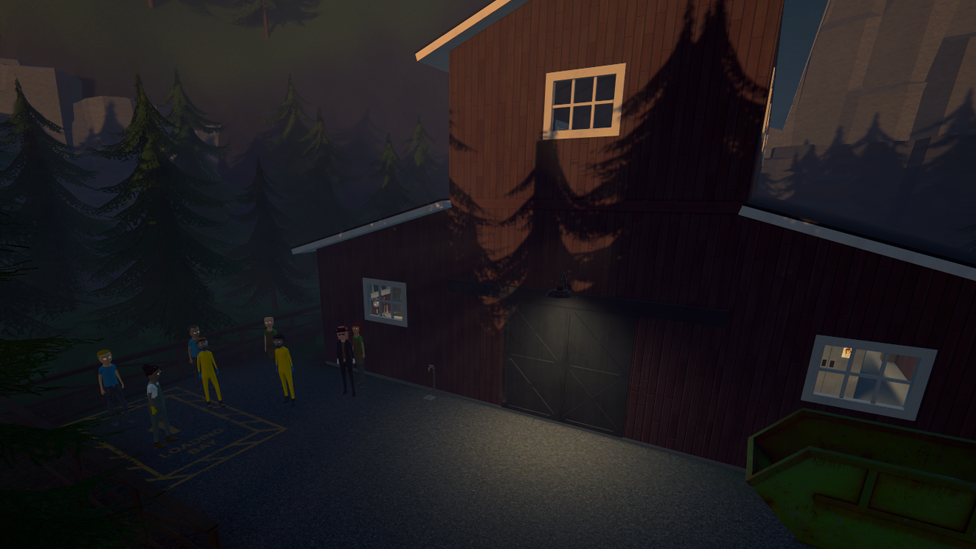
Let’s be honest: playing the schedule 1 game multiplayer Schedule 1 game with friends turns the entire thing into controlled (or… barely controlled) chaos. One of you’s flooding the bathroom trying to water plants, another’s passed out from accidentally testing the product, and someone’s forgotten to pay the Chemist again. It’s beautiful. Better yet, you can coordinate roles. One buddy handles mixing, another runs deliveries, and someone manages storage and money. If you’ve got that one friend who’s an absolute micromanager? Let them take the clipboard and run the empire. You’ll be busy throwing shade from the couch.
A Safe And Reliable Game Server Hosting With Scalacube
If you want smooth gameplay, zero lag, and full control, ScalaCube’s game server hosting is the way to go. Designed for gamers who need reliability and speed, ScalaCube offers 99.9% uptime, zero latency, and custom server configurations to match your unique setup. With full FTP access, mod and plugin support, automated backups, and 24/7 support, you’ll be fully equipped to host intense sessions without interruptions. Plus, DDoS protection and global server locations keep your empire safe and always online.
Wrapping Up
Running a solo drug ring in Hyland Point? Cool. Running one with three of your closest virtual ride-or-dies? Legendary. The schedule 1 game multiplayer Schedule 1 experience gives you the tools to expand your empire in the most entertaining and chaotic ways possible. Once you get your lobby set up and your roles assigned, it’s only a matter of time before your squad becomes the kings (and queens) of the underground scene. Just don’t forget to feed the cats and pay the Chemist.
FAQs
Can I invite friends to my solo game in Schedule 1?
No. Once you start a solo game, you can’t turn it into a multiplayer session. Start with multiplayer Schedule 1 if that’s your goal.
How many people can play together in Schedule 1 multiplayer?
Four players total — you and up to three friends.
Can we share resources in multiplayer?
Yes, all players share the same space and resources. So teamwork (and a little trust) is key to success.