How to Create and Join a Guild in Palworld
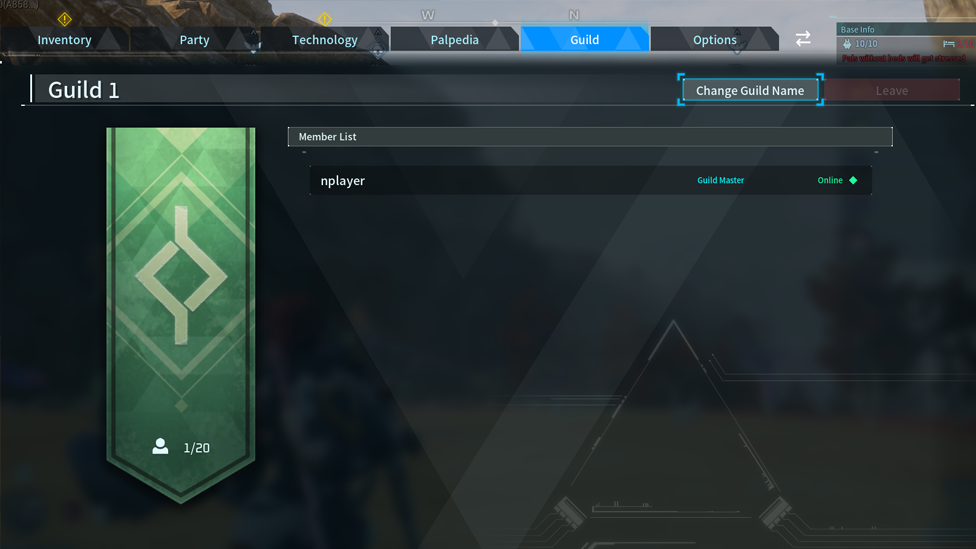
Guilds in Palworld aren’t just a feature running in the background; they’re an important feature, and while it may not always be apparent at the outset what they do, they are definitely influential on your final game experience. Given this thought, knowing what guilds are, how they work, and, critically, how to create and join a guild in Palworld can really help. Fortunately, the process is surprisingly straightforward once you know what to do, and setting one up early can make your adventure far smoother!
Why Guilds Matter in Palworld
Make Your Own Palworld Server
Before we get into how to make a Guild in Palworld, it’s first worth looking at why you might want to start or join a guild in the first place. Indeed, there’s technically no need to make or join a guild to play a game of Palworld, as you will automatically be assigned to a random public guild when launching a game; however, creating your own can open up new possibilities. So, what are the benefits of guilds? Well, guilds give you access to new features, including Pal trading, shared Guild storage containers, public Guild member locations on the map, and a no-kill feature where you won’t be wiped from the game if your health should drop to zero!
Naturally, if you’re playing with friends, joining a Guild can definitely be a great way to improve your experience. However, it’s worth keeping in mind here that multiplayer games can be prone to server difficulties, and the potential risk of an attack from a malicious third party is equally paramount. Fortunately, by setting up a private Palworld multiplayer server, you can keep your game running more stably with DDoS protection, 24/7 uptime, and more.
How to Create a Guild in Palworld
So, we’ve clarified why guilds are important, but how can you create one for your game? Well, making a new guild is fortunately pretty easy! To start with, open up the guild menu, which should bring up the Guilds UI Panel. Then, select “Create Guild” and fill out the panels, including creating a name for your new guild. Then, you can send invitations to other players on your server. They’ll receive a prompt to accept or decline the invite to join your server.
How to Join a Guild in Palworld
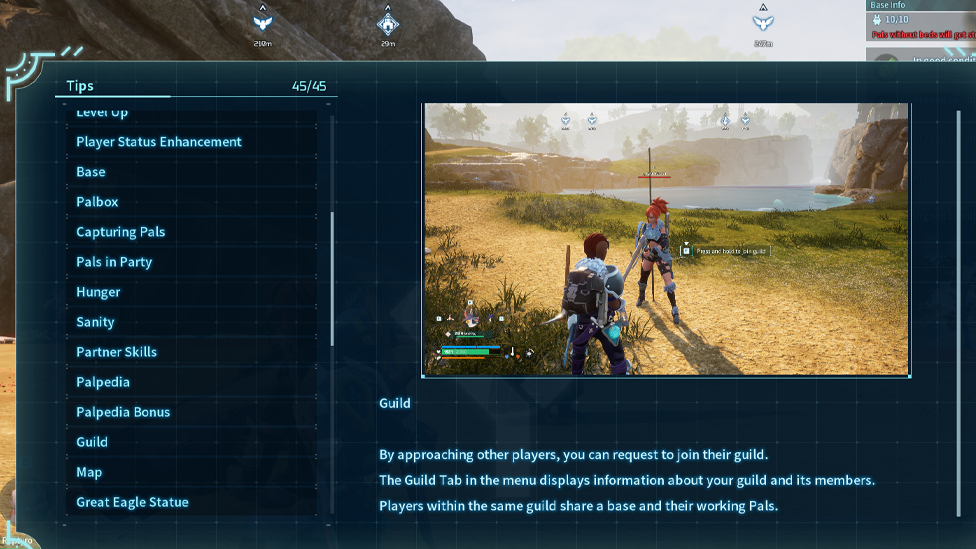
If you’d rather join an existing guild than start from scratch, the process is even easier. There are a few ways you can join a guild, but you’ll need to be invited; you cannot just invite yourself to someone else’s guild! Even if you request to join, the Guildmaster will still need to approve you! The first option here is to ask your friend to invite you to their guild. Friends can be invited from the Guilds UI Panel. Alternatively, if you’re on a public server, you might come across open guilds looking for members. If you’re not playing with a friend already, many groups recruit via chat or community boards, so keep an eye out for any opportunities to join a guild!
How to Transfer Guildmaster to Another Player
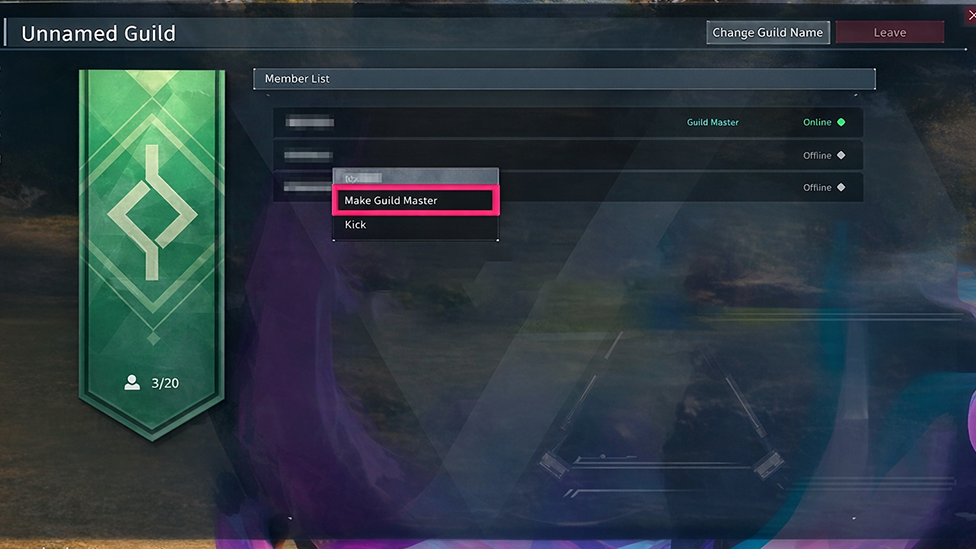
If you’re running a guild but don’t want the hassle anymore, you may want to transfer the role of Guildmaster to someone else. This is pretty easy to do again, and all you’ll need to do is head to the Guild UI page to see all members. Then, select the Guild member you want to make the guild master, and this will allow you to transfer ownership of the guild to that player. Of course, Guildmaster status cannot be transferred if you don’t have any other Guild members! In this case, you’ll need to recruit some new members to your Guild before stepping down as the Guildmaster.
FAQs
Can I leave a guild in Palworld after I’ve joined?
Yes! You can leave at any time through the guild menu. As the Guildmaster, you can also remove members from the guild at any time.
Will I lose my items in Palworld if I leave my guild?
Unfortunately, you may lose access to some resources if you leave your Guild in Palworld. However, this only applies to shared Guild items, so any items in your own inventory will still be yours to keep!
Can I transfer Guildmaster status to another player in Palworld?
Yes! If you are the Guildmaster and don’t want to be anymore, you can transfer Guildmaster status to another member, provided there is at least one other member in your guild.
Final Thoughts
Knowing how to create and join a guild in Palworld opens up a whole new opportunity for playing with friends. Given this thought, whether you want to lead your own group or are happy to just join an established Guild, keeping today’s tips in mind should help you have a more rewarding experience overall.