How to Save in Oblivion Remastered
There’s a whole world waiting for you once you round up the tutorial in Oblivion Remastered. The game has a lot of cities, caves, guilds and fights waiting for you. Battles to be fought. Oblivion Gates to be shut. Daedras to be slayed and a lot of other fun but dangerous activities. In the midst of all of these actions and chaos, you can easily miss one very important step. Any guesses? Yeah, saving gameplay in Oblivion Remastered. Imagine playing for hours and after finally passing a challenge that you’ve been hooked on, you lose your progress because you forgot to save. Just like a lot of other RPGs out there, Oblivion Remastered will have you make a lot of choices and these choices have different outcomes. Talking to people can change quests. Fights can go wrong. Guards can suddenly turn on a character.
That’s why saving matters so much. Manual saves and autosaves are basically life savers in this game. Without them, it’s game over in ways that actually hurt. Autosave helps, but relying on it alone isn’t always enough. Manual saving gives full control, especially before risky things like stealing, joining guilds, or fighting tough enemies. Knowing how saving works can make the whole adventure in Cyrodiil a lot smoother.
How to Save in Oblivion Remastered
Make Your Own game Server
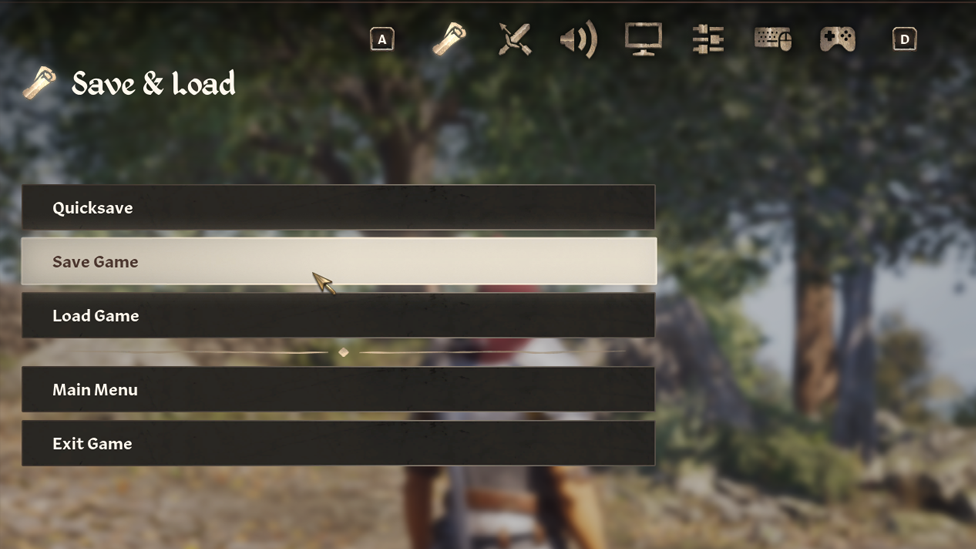
Once the character creation is done and the game actually starts, saving becomes available anytime. Just open the Journal, scroll all the way right to the System tab, and there it is: Save and Load options. Manual saves are best. Each one can be named, and the game allows a lot of save files. Players don’t need to worry about running out of space too soon. But there’s also Quicksave in Oblivion Remastered, which makes life easier. On PC, pressing F5 instantly creates a save file. It’s super fast, but here’s the catch: there’s only one Quicksave slot. That means the next Quicksave overwrites the last one. So yeah, if something bad happens after that, it’s gone for good.
On PC, there’s also a console command:
save [name]
That one lets the player type a custom name for the save file. Handy if keeping things organized. Yes, there is Quicksave and Autosave, the honest truth is that manual saving is still the safest. In the game, you have enough slots to make many different saves. You can save one slot before tough battles or another before making big choices. You can even save one slot for just loitering around. That way, you can be rest assured that your progress is safe.
When Does Oblivion Remastered Autosave?
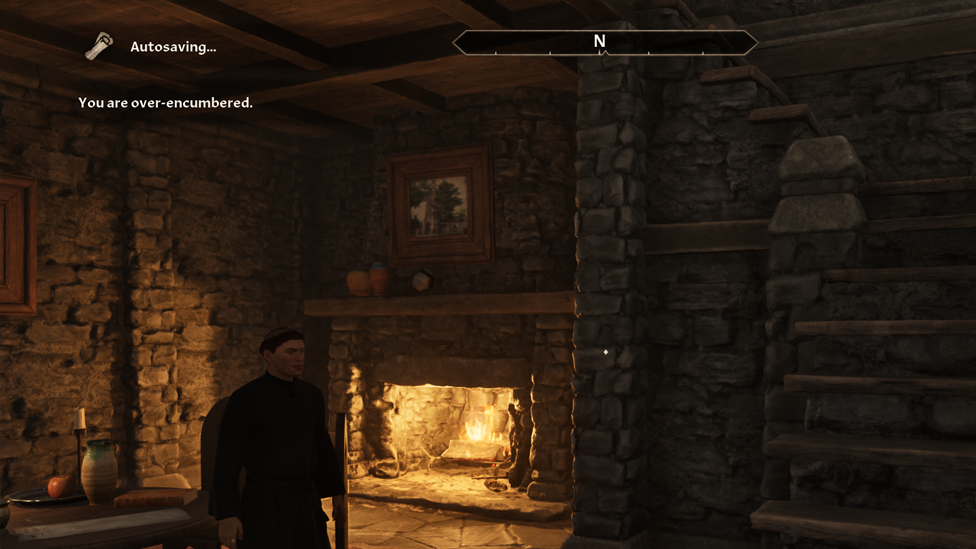
The thing with autosave in Oblivion Remastered is that you don’t even know when it happens. Quite frankly, that’s even the best thing about it. Most times you don’t even remember it until something bad happens. Luckily, the game autosaves pretty often. It happens when:
- Entering or leaving buildings, dungeons, or landmarks
- Fast traveling to a location
- Sleeping in a bed Those autosaves create fallback points if something goes wrong. Like, say a fight with a guard turns ugly, or an NPC accidentally gets attacked, or a bad dialogue choice ruins a quest. Autosave gives a chance to undo all that. But remember, autosaves have limited slots. There are five autosave slots total, and once they’re filled, the oldest one gets replaced when a new one happens. So the game keeps cycling them automatically. Still, relying only on autosave isn’t smart. It won’t always trigger before a big moment. Manual saves stay forever until deleted. So combining both is the best move.
Why Manual Saves Are Better
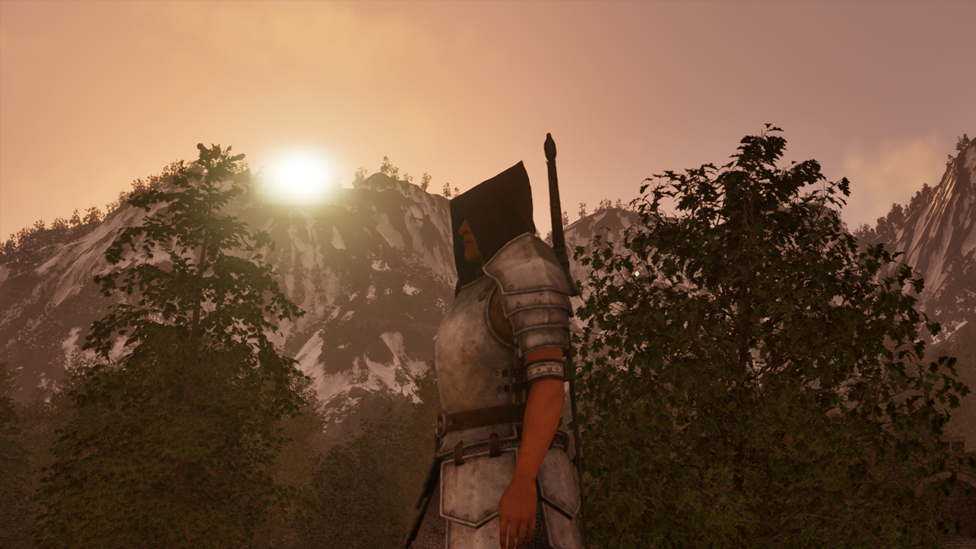
Manual saves give total control. Players decide exactly when to lock in their progress. Before boss fights, before major dialogue choices, or before doing something risky, save your game. It’s basically a safety net. Quicksave can’t always be trusted since it overwrites itself. Autosave doesn’t know when something important is about to happen. But manual saves do whatever the player wants. It’s like saying, “Okay, if this goes bad, I’m not starting from scratch.”
Scalacube for the Best Game Server Hosting Experience
Talking about saving your game, Scalacube can save you from a lot of stress while playing Oblivion Remastered. If you’re planning to host your own modded server, you’re gonna want a host that doesn’t make your game more difficult than it already is and ScalaCube is one of the smoothest options out there. It doesn’t even matter what modding API you’re using, ScalaCube is still your best bet.
And it’s so easy to set up an account. You should be able to get it done in a matter of minutes. There are no lags or downtime and you also get 24/7 customer support. Have we mentioned the easy to use control panel? You don’t need to be a tech wizard to find your way around. You can just play your game while Scalacube handles all the heavy lifting and background stuff. Try Scalacube today.
FAQs
How many save slots does Oblivion Remastered have?
A lot. Enough that players rarely run out. It’s safe to keep multiple manual saves for different parts of the game.
Does the game autosave every time something big happens?
Not exactly. It mainly autosaves when entering or leaving buildings, fast traveling, or sleeping. Big quest moments might not autosave, so doing a quick manual save helps.
Can Quicksave be used multiple times?
Yes, but it overwrites itself every time. Only one Quicksave slot exists.
Is manual saving still important if autosave works fine?
Yes. Autosave can fail or get overwritten. Manual saving keeps important moments safe forever.
Conclusion
Saving is one of the simplest but most important parts of Oblivion Remastered. It’s easy to forget but can make or break a long play session. Manual saves are the safest way to protect progress. Autosave helps a lot, but it can’t be trusted alone. When emergencies happen, Quicksave is wonderful. But on the flip side, you can’t really rely on it because it’s only temporary. Together, they form a system that keeps the game fair and the player sane. With all the danger and random chaos in Cyrodiil, saving often is the only real shield against disaster. And for those who like experimenting with the game, Scalacube offers a whole other layer of control through custom servers and mod hosting. Whether it’s saving before a big battle or backing up an entire world, one thing’s always true: save early, save often.