How To Perform A Draw Attack In Monster Hunter Wilds
Monster Hunter Wilds is a wild ride (pun fully intended) packed with deep mechanics, secret moves, and "wait, you can do that?" moments. One of the most underrated—and often misunderstood—mechanics is the Monster Hunter Wilds Draw Attack. Whether you're rocking a Great Sword, channeling your inner samurai with a Long Sword, or trying to pull off slick moves while dismounting your Seikret, understanding how MH Wilds Draw Attacks work can change the way you hunt. So let’s slice into it—clean draw style.
What is a Draw Attack?
Make Your Own game Server
First up, what is a Draw Attack MH Wilds? Think of it like this: it’s your weapon's version of a surprise party. The attack happens the moment you unsheath your weapon—boom! You go from calm to chaos in one smooth motion. There are two main ways to trigger a Draw Attack MH Wilds:
- Standard Draw Attack: Sheathe your weapon (manually or naturally), then press your attack button. That first hit? That’s a Monster Hunter Wilds Draw Attack.
- Dismount Attack: Jump off your Seikret and attack mid-air while your weapon is sheathed. This also counts as a Draw Attack. But not all fancy animations count:
- Riding Attacks (while still on your Seikret)? Nope.
- Sneak Attacks (from stealth)? Surprisingly, also nope. Only the very first hit after unsheathing is considered a Monster Hunter Wilds Draw Attack. Though, some weapons have multi-hit “opener” moves, which means all of those connected hits count as one glorious Draw Attack moment.
Auto-Sheathing Can Ruin Your Flow
Quick PSA: Auto-sheathing might be holding you back. Monster Hunter Wilds has a setting that automatically puts your weapon away when you’re not attacking. Handy in theory—but terrible if you’re trying to line up the perfect Monster Hunter Wilds Draw Attack. Turn that off: Start Menu + Controls + Auto-Sheathing + OFF Now, you’re in full control. Sheathe when you want, attack when you want, Draw Attack. Draw Attack Exceptions & Special Mechanics
Long Sword’s Special Sheathe
Long Sword mains, you’ve got some bonus style points. The “Special Sheathe” move lets you prep an Iai Slash or Iai Spirit Slash, both of which count as Draw Attacks. These are prime for stacking bonuses, especially when built around Crit Draw or Punishing Draw.
Weapons That Break the Rules
Some weapons (we’re looking at you, Lance) have combo openers with two to five hits that all count as Draw Attacks. Why? Because they’re considered a connected motion, not multiple separate swings. That means more hits = more chances to apply Draw-based skill effects.
Best Weapons for Monster Hunter Wilds Draw Attack Builds
While technically you can use Draw Attacks with any weapon, two stand out for draw-based builds:
Great Sword
This beast hits like a freight train, and when you stack it with Critical Draw, it becomes a monster-slaying juggernaut. Since Great Sword is naturally slow, the Draw Attack gives it a deadly first strike that really pays off.
Long Sword
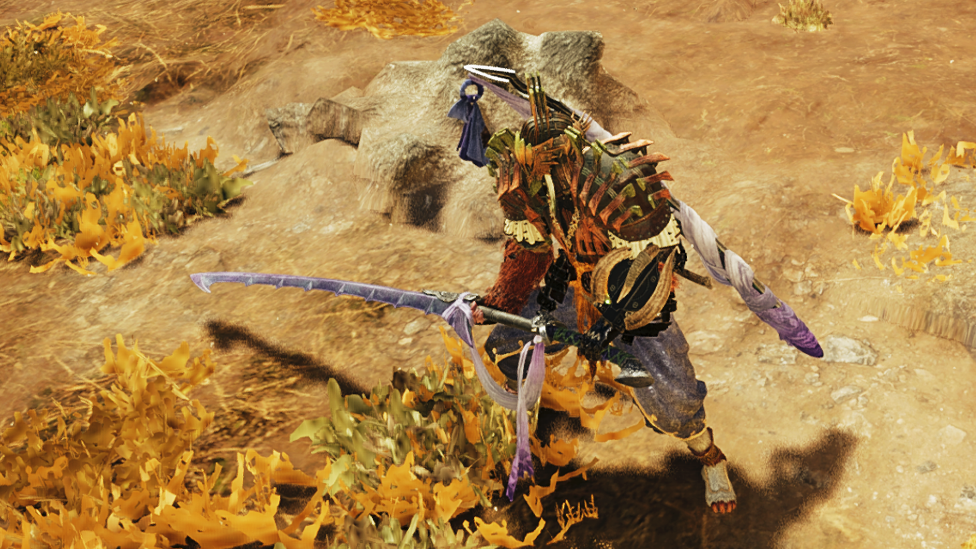
Thanks to the Special Sheathe and Iai moves, Long Sword builds around Draw Attacks feel smooth and stylish. You’re not just slashing—you’re slicing with flair.
Best Skills for Draw Attacks
Time to build your perfect draw-slashing machine. Only three skills interact directly with Draw Attacks, but they pack a punch.
Critical Draw
Affinity boost for your Draw Attacks (aka more crits, more pain).
- Level 1: +50% Affinity
- Level 2: +75% Affinity
- Level 3: +100% Affinity Pro tip: Pair this with a weapon that already has high base damage. Crit Draw turns your opening move into a KO ticket.
Punishing Draw
Adds stun damage and boosts your Draw Attack’s power.
- Level 1: Minor stun +3 Attack
- Level 2: Medium stun +5 Attack
- Level 3: Big stun +7 Attack Perfect for control-focused hunters who want to interrupt monster attacks and stagger big baddies.
Quick Sheathe
Your weapon goes away faster, which means more Draw Attack opportunities.
- Level 1: Slight speed boost
- Level 2: Noticeable boost
- Level 3: Sheathing at lightning speed Throw this in if you love weaving sheathing and unsheathing into your rhythm. It's especially nice for Great Sword users who like to strike, dodge, then vanish like a ghost.
Putting It All Together
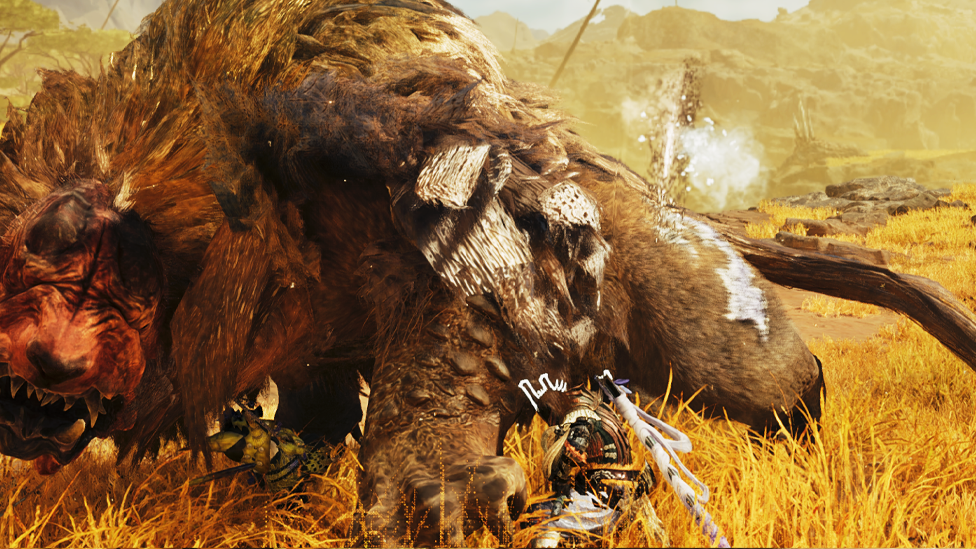
So, let’s say you’re running a Great Sword with Critical Draw, Punishing Draw, and Quick Sheathe. You jump off your Seikret, land a clean hit on a Rathalos, and it stumbles as your 100% crit-charged, stun-infused swing slams into its face. That? That’s the power of a proper Draw Attack. Whether you’re rocking a style build or just looking for new ways to spice up your hunts, mastering the Draw Attack system is a surefire way to feel like a pro. Just don’t forget to actually sheath your weapon before you start spamming attacks. We’ve all been there.
No Lag, Just Win—The Best Game Server Hosting With Scalacube!
Looking for next-level gameplay without lag or disconnects? Partnering with Scalacube’s dedicated game server can improve the experience even further. With customized configurations, guaranteed stable performance, and low-latency connections, Scalacube server hosting allows for smooth multiplayer matches. Not just that, with Scalacube you also get to enjoy full FTP access, mod support, DDoS protection, and 24/7 support—all at unbeatable prices.
Wrapping Up
Draw Attacks might seem like a small mechanic, but they can seriously change the way you play Monster Hunter Wilds. With the right timing, the right build, and a little style, you can turn your first swing into your strongest move. Take off Auto-Sheathing, pick your weapon, slot in those skills, and go make that first hit count.
FAQs
Does every weapon have a Draw Attack in Monster Hunter Wilds?
Yes! Every weapon can perform a Draw Attack—the first hit after unsheathing counts. Just remember: not all weapons benefit equally.
Is Punishing Draw good on Long Swords?
It can be, especially if you like using Iai Slashes. It adds stun and extra power, which makes your stylish openers even deadlier.
Can I turn off auto-sheathing in the settings?
Absolutely. Go to Start Menu → Controls and disable Auto-Sheathing to take full control over your weapon and Draw Attack timing.