How To Hide Helmet In Monster Hunter Wilds
Alright, Monster Hunter Wilds hunters—after hours of tweaking your character’s face in the character creation screen, it’s only natural to want to see your masterpiece in all its glory. But, what happens when you throw a big, clunky helmet on and your character’s glorious face is hidden under all that armor? That’s right, you’ll be staring at some generic headgear instead of your lovingly crafted character. But don’t worry, the solution is easier than you think.
If you’ve been wondering how to hide helmet Monster Hunter Wilds or even other armor pieces, the game has got your back, though it doesn’t exactly explain how to do it. Lucky for you, we’ve got the scoop on toggling that helmet MH Wilds visibility on and off. Let’s get into the customization options in Monster Hunter Wilds.
How to Hide Helmets in Monster Hunter Wilds
Make Your Own game Server
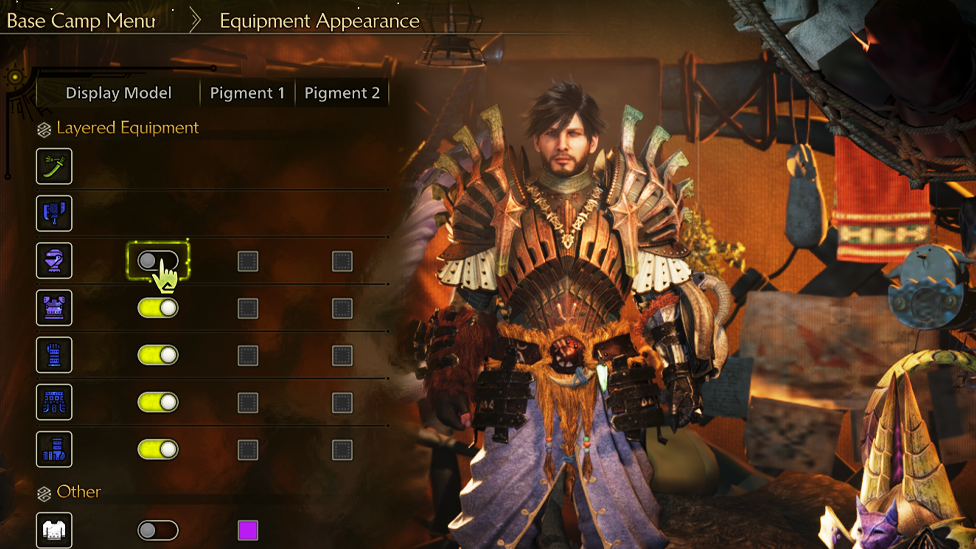
First off, let’s get down to business—how do you hide helmets Monster Hunter Wilds? It’s actually super simple once you know where to look. The process happens in the Tent, a key hub in Monster Hunter Wilds where you can rest, swap weapons, and change up your gear. Here’s how you can go from "helmeted" to "head exposed" in no time:
- Head to Your Tent: After you’ve done a bit of hunting or after any quest, head back to your Tent where you can manage all of your gear and customization options.
- Go to the Appearance Tab: Once inside your Tent, look for the Appearance tab. This is where all the magic happens, from tweaking your character's face to adjusting the visibility of your gear.
- Select Equipment Appearance: Under the Appearance tab, you’ll find the Equipment Appearance option. This is where you can toggle the visibility of each armor piece.
- Toggle the Head Section: In the menu that pops up, look for the Head section. Here, you can easily toggle the helmet’s visibility off by unchecking the box next to it. Boom—no more helmet!
From here, you can further customize your look by hiding other armor pieces, such as the chest, arms, or legs. The best part? This doesn’t affect your stats at all! Your character still gets all the benefits of the armor, including buffs and protection, even if you can’t see it.
Why Should You Hide Helmets?
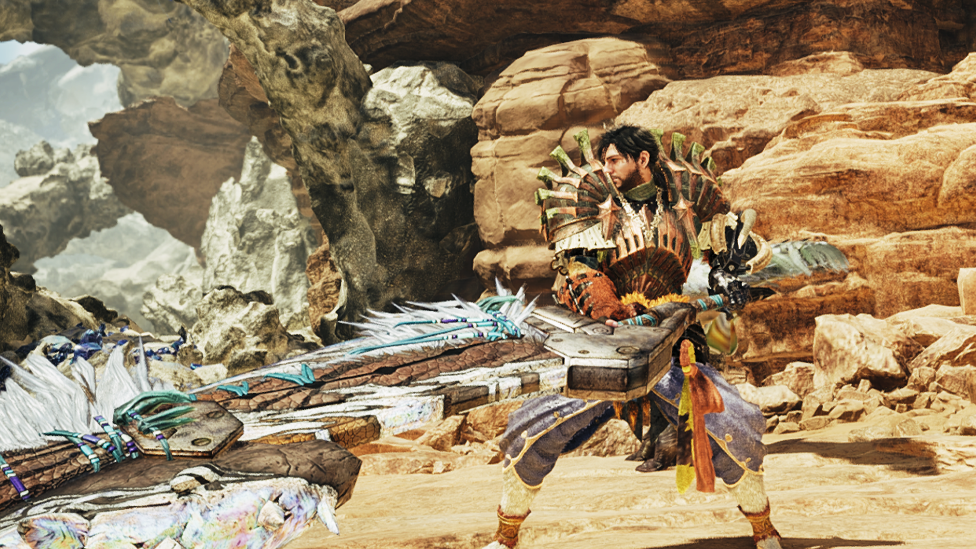
Now that you know how to hide helmets Monster Hunter Wilds, you might be wondering—should I even bother? The answer depends entirely on how much you care about your Hunter’s aesthetics. If you’ve spent hours carefully crafting the perfect face, or you just want to show off the cool new gear you’ve equipped, hiding the helmet can make your character feel a little more personal. Seeing your Hunter's face, especially during cutscenes or exploration, adds that extra touch of immersion. After all, you didn’t just spend all that time customizing your character to hide behind a helmet, right? But, if you prefer the full look of your armor, or if you just think your helmet adds a bit of flair, then by all means, keep it on. You’re still getting all the defensive perks and skills it offers, no matter whether it’s visible or not.
Does Hiding the Helmet Affect Stats?
One common concern when customizing your gear is whether turning off the visibility of an armor piece affects its functionality. You’re in luck in Monster Hunter Wilds—no matter if you hide the helmet or any other equipment, your Hunter’s stats won’t be affected. You’ll still receive the armor’s full benefit, ranging from defense increases to skills, regardless if it’s hidden or not. So don’t worry about keeping your character’s appearance how you desire and losing any advantage on the battlefield.
What else can you customize?
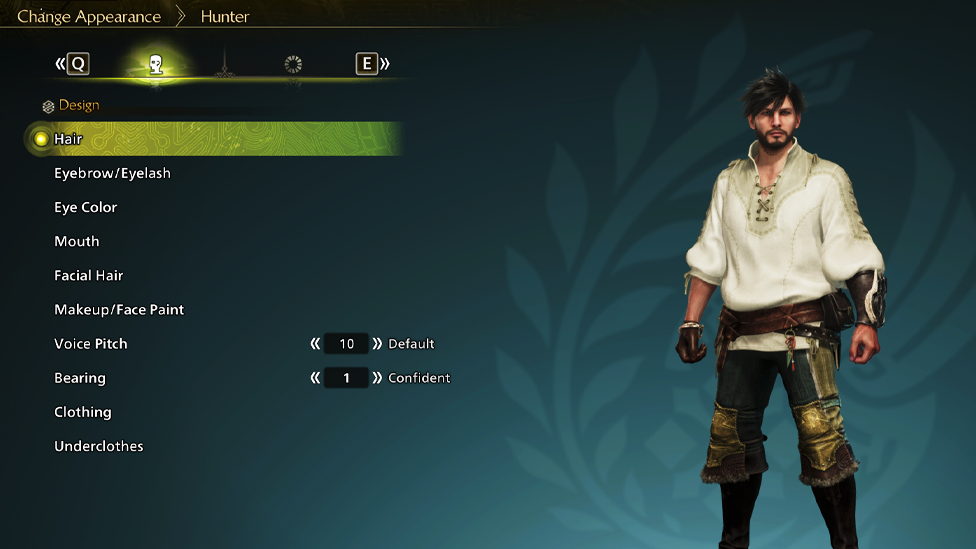
If you like having the option to conceal the helmet, you'll be delighted to hear that Monster Hunter Wilds has plenty of customization options available for your Hunter. In addition to simply hiding helmets, you can adjust your Hunter's facial features with options like eye color changes, hairstyles, or scars and tattoos. You can easily replace armor pieces or combine them to customize to your heart's desire.
Another cool thing? If you feel like going for a minimal aesthetic—maybe showing off that custom-made face while gathering resources or while hunting smaller monsters—this is the perfect opportunity to make your character look unique while keeping functionality intact.
The Ultimate Gaming Experience With Scalacube
Looking for smooth, uninterrupted gameplay without the frustration of lag or random disconnects? ScalaCube’s reliable game server hosting is exactly what you need. Teaming up with a dedicated ScalaCube server takes your Monster Hunter Wilds experience to the next level. With custom configurations, guaranteed uptime, and ultra-low latency, every hunt becomes seamless and immersive.
Wrapping Up
In the end, hiding your helmet in Monster Hunter Wilds is all about personal preference and style. Whether you’re showing off your custom face in cutscenes or simply want to feel like your Hunter looks more like, well, you, the option to toggle helmet visibility is a game-changer. Plus, it doesn’t mess with your stats, so you get to enjoy both the cosmetic changes and the gameplay benefits. It’s a win-win situation!
FAQs
Can I hide other pieces of armor in Monster Hunter Wilds?
Yes! In addition to hiding the helmet, you can also hide the chest, arms, and legs armor pieces, giving you complete control over your Hunter’s appearance.
Does hiding my helmet affect my Hunter's abilities or stats?
No! Hiding your helmet (or any other armor) won’t affect your Hunter’s stats or abilities. You still get all the benefits of the armor, regardless of its visibility.
How do I make my Hunter stand out in Monster Hunter Wilds?
You can personalize your Hunter’s facial structure and alter the look of armor pieces by simply turning on/off their visibility within the Appearance menu in your Tent. It’s an excellent way to showcase your own style without sacrificing gameplay effects!