How to Edit Files Using FTP Filezilla
In this guide, I will show you how to connect to your server's FTP.
We will be using Filezilla FTP Client
The first step is to go to Scalacube.com and log in to your account.

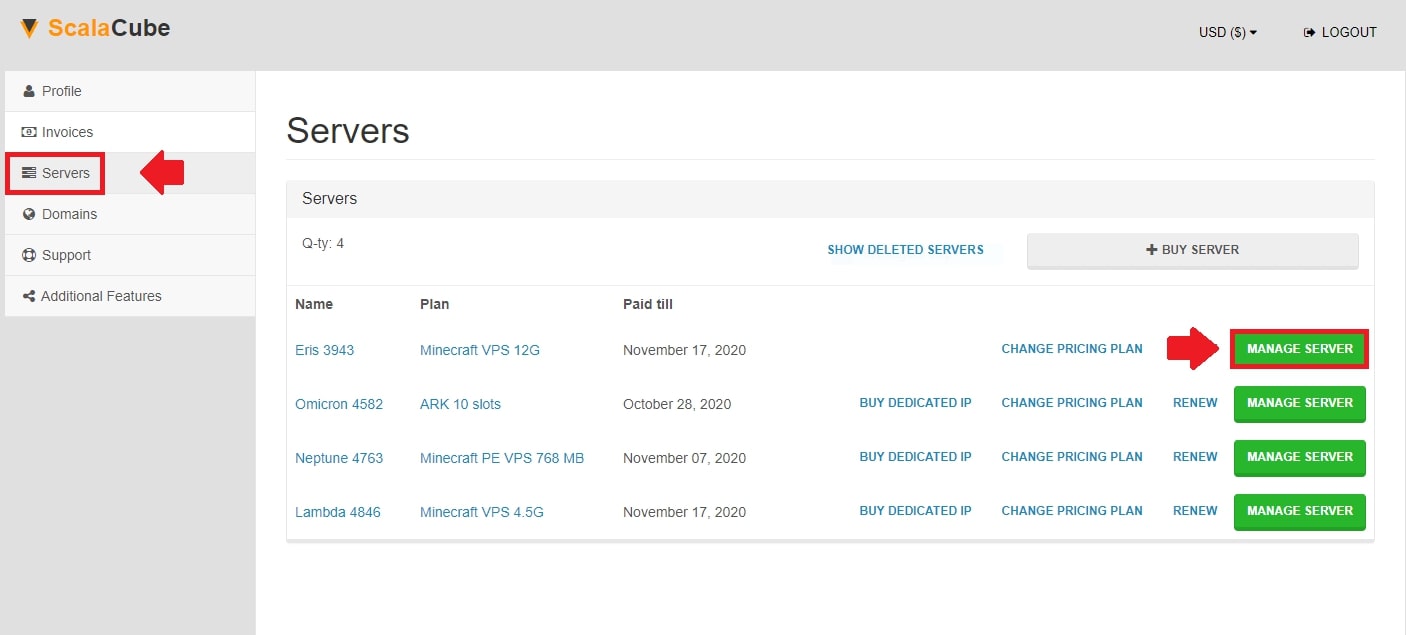
Once logged in, locate "Servers" and click on "Manage Server".
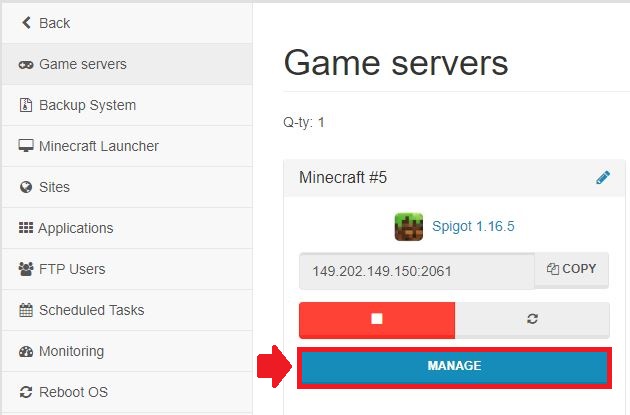
Click "Manage" again.
Scroll down until you find your FTP details.
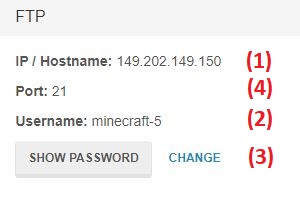
Enter your FTP details into the client as shown and then click "Quickconnect".

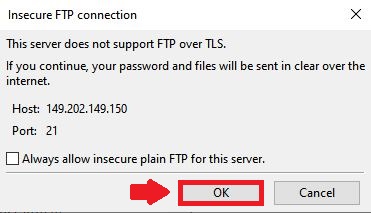
When prompted by a pop-up, click "OK".
You are now connected to your server via FTP and can download/upload your server files.
You can also easily install plugins on our Minecraft server hosting page.
- Log in to website
- Go to Servers > Manage server > Manage
- Scroll down and locate FTP details
- Use your selected FTP tool to connect