What is a Flip Flop in Scrap Mechanic
Scrap Mechanic is a sandbox game where gamers can build and construct complex machines through logic and creativity. The flip flop is one of many components that players can access, but it is an absolutely essential tool to have when building advanced mechanisms. This guide will give you an in-depth look into flip flops, their construction, types, and uses to help you master the use of flip flops in your designs.
What is Flip Flop in Scrap Mechanic?
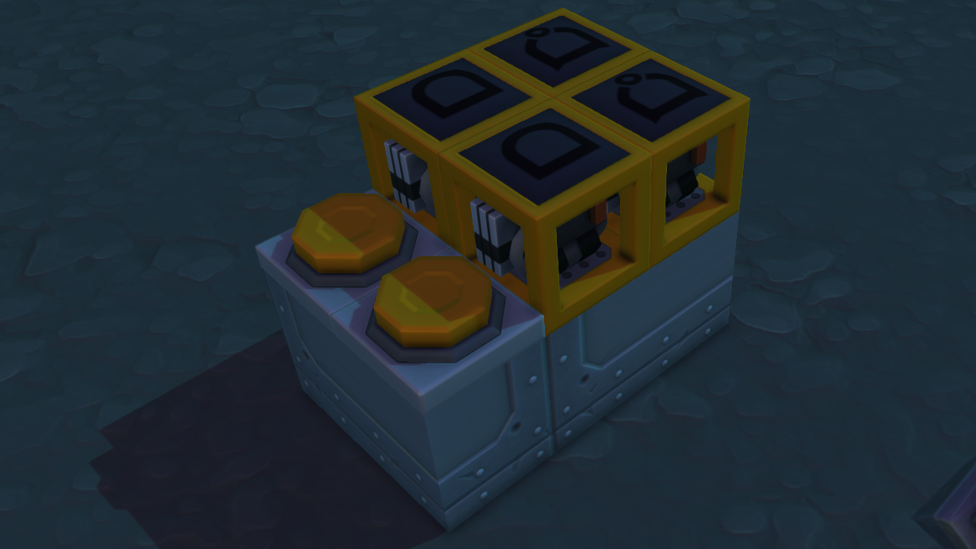
Make Your Own Scrap Mechanic Server
A flip-flop is a digital circuit, in simple words, that stores a single bit of data. In a state of 0 or 1, it stays until a particular input changes it. In Scrap Mechanic, this is a necessary functionality to create toggle mechanisms, memory systems and automated devices. Flip-flops enable players to: Store States: It helps retain the state of on and off until actively changed Create Toggle Switches: It takes momentary input and converts it into persistent on/off output. Develop Complex Logic: To build advanced systems such as counters and memory registers.
Types of Scrap Mechanic Flip Flops In Scrap Mechanic, you can make several kinds of flip flops using logic gates, timers, and sensors. Here are the most common types:
- RS (Reset-Set) Flip-Flop This is one of the simplest types of RS flip-flops. It has two inputs: Set (S): Activates the output to 1. Reset (R): It deactivates the output and sets it to 0.
- T (Toggle) Flip-Flop This toggle turns its output state every time its input is activated. For example, it’s great for converting momentary inputs like buttons or sensors into toggle switches.
- D (Data) Flip-Flop The input value (data) is captured by the D flip-flop when triggered, and held until the next input. Used for synchronization and memory storage widely.
- JK Flip-Flop This handy flip flop is an RS flip flop with more functionality in that it can toggle, set or reset, depending on the input combination.
Building Flip Flops in Scrap Mechanic To construct a flip-flop, you’ll need the following components: Logic Gates: Depending on the design, it will be a NOR, XOR, AND or OR gate. Timers: To synchronize signals. Sensors or Buttons: For input triggers.
Building an RS Flip-Flop in Scrap Mechanic To successfully build an RS Flip Flop in Scrap mechanic, follow these steps carefully: Use two NOR gates. Now, connect the output of the first NOR gate with the input of the second. Connect the output of the second NOR gate to the input of the first. The second NOR gate must have the Reset input connected, and the first NOR gate must have the Set input connected.
Building a T Flip-Flop in Scrap Mechanic
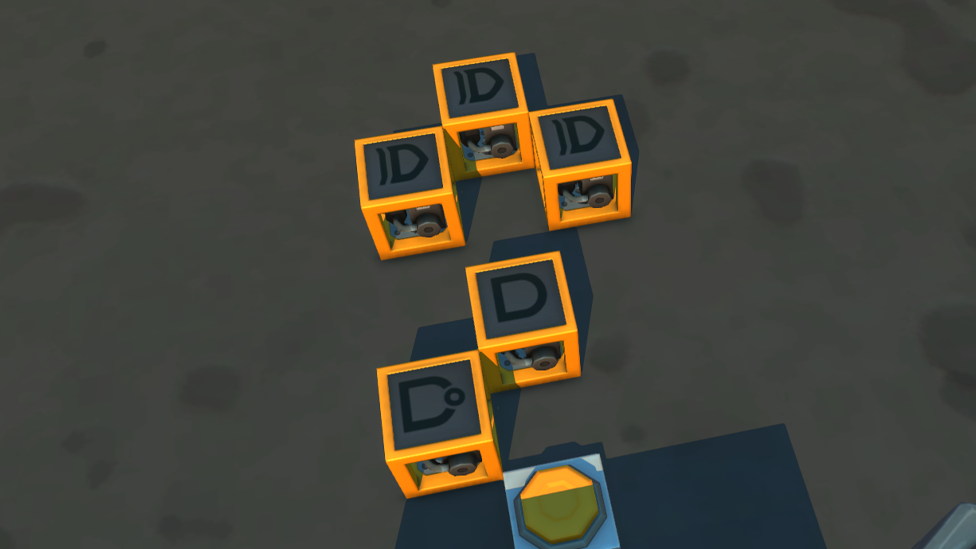
To successfully build a T Flip Flop in Scrap mechanic, follow these steps carefully: We can use two NOR gates and three XOR gates to build a T flip-flop. Make them toggle the output based on the input signal and configure them in such a way that it accomplishes a feedback loop. Add a timer to not overlap the signal and with a minimal delay (1 tick).
Building a D Flip-Flop in Scrap Mechanic To successfully build a D Flip Flop in Scrap mechanic, follow these steps carefully: Control when the input value is captured using AND gates. Design a circuit that will block or pass the signal depending on a clock or control input.
How Flip Flops Are Used in Scrap Mechanic?
- Toggle Switches A T flip flop in Scrap Mechanic can transform a momentary press of a button into a persistent toggle and enable you to control devices with only one button.
- Memory Storage Memory systems are built from flip-flops. With advanced machines, you can store bits of information to track states.
- Counters and Sequential Circuits You can build up counters, clocks, and other sequential systems by chaining multiple flip-flops together.
- State Management and Automation. Flip–flops let you use states to automate systems, such as when you want to switch between multiple modes of operation.
Common challenges and troubleshooting.
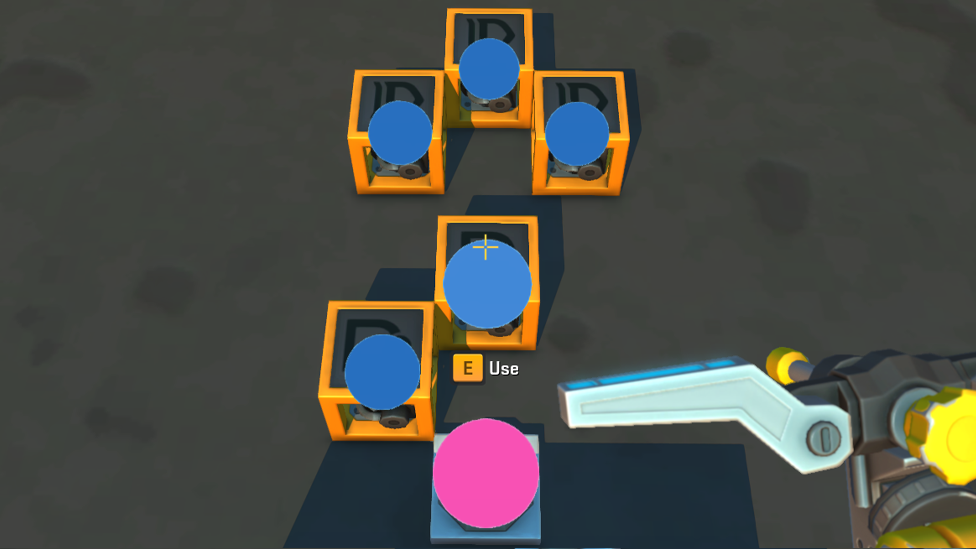
While building flip-flops in Scrap Mechanic, you may encounter issues such as:
- Signal Overlaps Timers and logic gates may not sync, leading to unintended behavior. Adjust these timer delays to prevent overlap.
- Incorrect Wiring Check the logic gates to see if they are hooked up correctly according to the flip-flop type. The circuit could easily be thrown off even a small misconnection.
- Limitations of Logic Gates Real world counterparts of in game logic components may not work exactly as depicted. Change your designs to adapt to use in the game’s mechanics.
FAQs
Why is a flip flop used in Scrap Mechanic?
A single bit of data is stored in a flip flop, and players can build memory, toggle switches, and more complex logic mechanisms.
What is a flip-flop, and how do you create a toggle switch with a flip-flop?
The momentary input signals are converted into toggling outputs by a T flip flop. This can be achieved using logic gates and timers.
Can we use flip-flops for automation?
Yes, we need flip-flops to create automated systems (state machines, counters, etc) because we need some reliable data storage.
What are the typical difficulties of constructing a flip-flop?
Challenges include signal timing, incorrect wiring, and component limitations. These issues can be resolved with proper configuration and testing.
Conclusion
Scrap Mechanic wouldn’t be Scrap Mechanic without flip flops, which have the power to create advanced logic systems. Understanding flip flops in Scrap mechanic will allow you to create simple toggle switches through to designing automated factories. And, by learning how to use different types like RS, T, and D flip flops, you’ll be able to expand your creations and expand the reach of your in game designs.
Need reliable Scrap Mechanic server hosting? Scalacube provides the best hosting solutions for Scrap Mechanic and guarantees you enjoy your gameplay without any hiccups or interruptions while you’re creative with your multiplayer adventures.