Scrap Mechanic Creative Mode
Scrap Mechanic is a family-friendly multiplayer sandbox game where you play as an inventor and builder. Players can build vehicles, gadgets, and machines from various parts and components available to them, opening endless possibilities of creating any stuff a player can think of. Scrap Mechanic's Creative Mode is one of the most exciting features, where players can use its resources without having to worry about the survival elements. This guide explains everything you've ever wanted to know about Scrap Mechanic's Creative Mode: the features, how to get there, the nitty-gritty of how to build in Creative Mode, and much more.
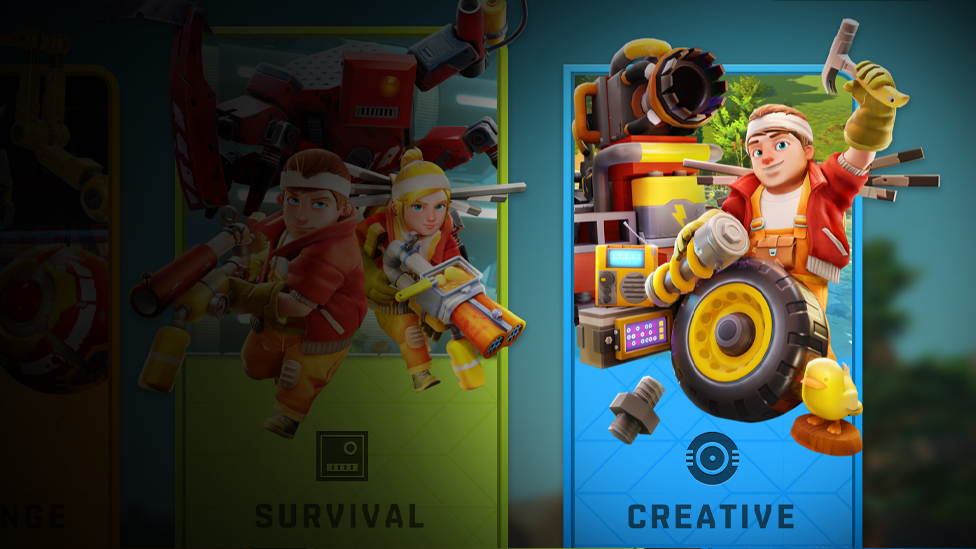
What is Creative Mode in Scrap Mechanic?
Make Your Own Scrap Mechanic Server
The Scrap Mechanic Creative mode gives the players access to unlimited resources, the freedom to build without the need of gathering materials and even without any concern for health and hunger. It's the Mode for players who like to design complex things or mess around with mechanicals but without the normal survival of all bad things.
The highlighted features of Creative Mode
Unlimited Resources: Scrap Mechanic players have access to all parts and materials without having to collect them at all. No Health or Hunger: Environmental hazards and enemies don't do damage to players, which lets you keep on building without any care in the world. This leads to total focus on your builds and players can unleash all their efforts into building something remarkable which is a bit difficult to achieve in survival mode. Instant Building: Crafting times are no longer a factor, as players can already place items instantly without any delay. This additional advantage helps players in creating stuff quickly, without the unnecessary delay. Advanced Tools: Access to advanced tools that can help manipulate parts more efficiently. The addition of these advanced tools helps Scrap Mechanic player in getting their job done more easily and efficiently as compared to the survival mode counterpart. Environment Control: With this add on, players can change the time of day and appropriate weather conditions that will allow for the perfect setting for their builds.
How to access Creative Mode in Scrap Mechanic?
To access Creative Mode, players typically follow these steps: Create a New Game: To start a new game, select Creative Mode from your available options. Switching from Survival to Creative: For example, if you're into a Survival game and you want to switch to Creative, then you may need to use special commands. This involves editing scripts in the game's directory, and there's nothing wrong with it if done correctly and carefully; otherwise, there are some risks involved if done incorrectly.
Editing Game Files for Creative Features
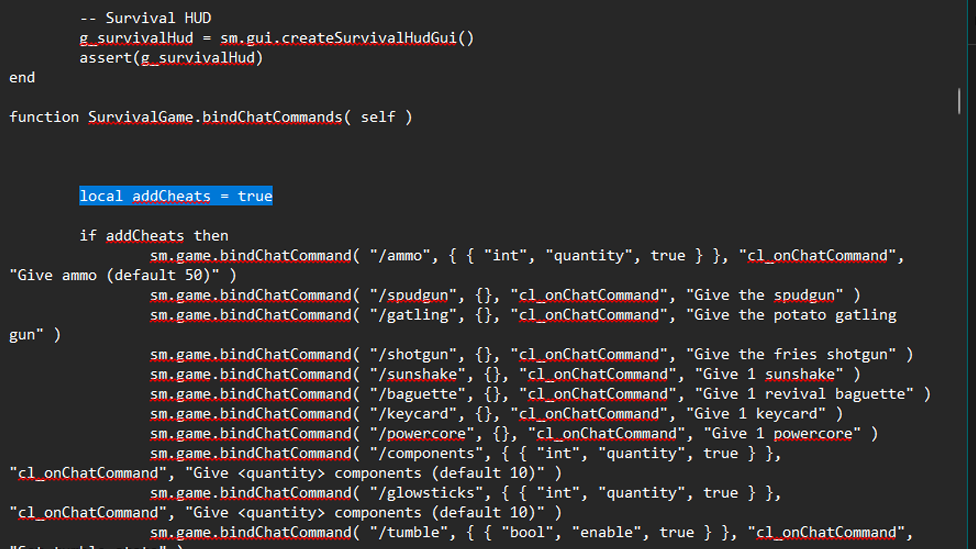
If you're looking to enable creative mode features in survival mode, then you need to do some necessary modifications by following the below steps:
Head to your Scrap Mechanic installation folder.
In the Scripts/game directory, find SurvivalGame.lua.
Open it up as SurvivalGame.lua inside a text editor and make changes as instructed by community tutorials. This is often achieved by adding commands that make it unpack features like unlimited inventory and god mode.
Finally, save and restart the game.
Building in Creative Mode
Creative Mode building can be a fun thing. Here are some tips to enhance your creations: Use Blueprints: Save your designs as blueprints, saving easy for later. What this lets you do is reuse complex builds without having to rebuild them from scratch. Experiment with Parts: Try out different combinations of parts, with unlimited resources. Feel free to give unconventional designs a try. Utilize Tools Wisely: Get used to the lift and painter tool or whatever else you can find. These can really speed your building process. Plan Your Layout: Before starting a big project, start by sketching out your ideas or sketching out a grid system to always keep things in proportions and alignment.
Common Building Techniques in Scrap Mechanic
Vehicle Design: In order to get better performance for the vehicle, try to design the vehicle with balanced and distributed weight. Contraptions: Similarly, use logic gates and sensors for the creation of automated systems or traps in your builds. Decorative Elements: Decorative parts such as lights, signs, and other visual elements improve aesthetic appeal.
Advanced Features
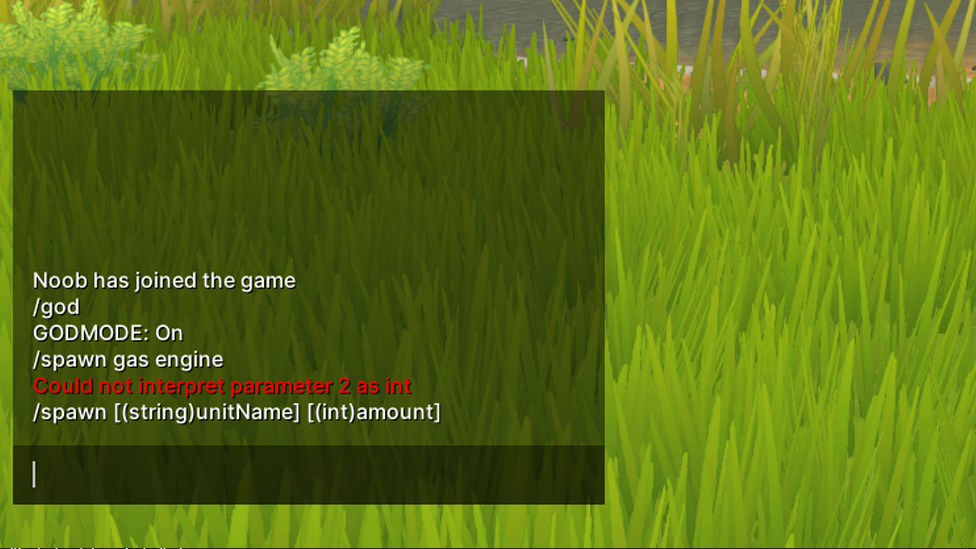
In addition to building freely, players can utilize various commands that enhance gameplay: /spawn [item]: Spawn any item or part instantly. /time [day/night]: Change the time of day instantly. /godmode: Invincibility against all damage forms. You can enter these commands into the chat console during Scrap Mechanic gameplay, which gives you more control of your environment.
Creating Multiplayer Experiences
It is also available in multiplayer settings, too. Builds can be done collaboratively with other players or as challenges without the traction of survival mechanics.
Frequently Asked Questions
Can I play Creative Mode alone?
You can, yes, play Creative Mode solo or with friends in Multiplayer.
How do I save my creations?
Save your designs with the blueprint feature to use again.
What are the limitations of Creative Mode?
Although there are no resource limitations, some things may not work as intended due to game physics or bugs.
If I make something in Survival mode, can I import it?
Yes, if you so wish you can import creations from Survival into Creative Mode, so long as you provide a few commands and modifications.
Conclusion
Scrap mechanic creative mode gives players a place to get creative and experiment with crazy keeps and creations without the survival gameplay in the way. To create awesome structures or contraptions, players need to know the features of their item, command it right, and use smart building. Creative Mode offers infinite laughs and development fun whether you go solo or with friends, in the colorful Scrap Mechanic world.
If you're looking to have a Scrap Mechanic MP server set up with ease, Scalacube's services come in perfectly for the Scrap Mechanic MP hosting.