How To Move Furniture In Schedule 1
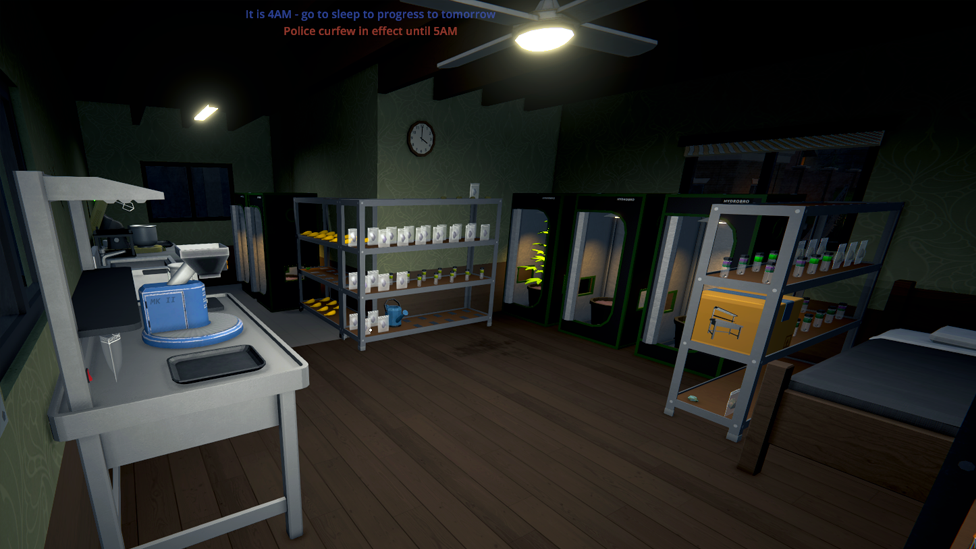
So, you've just set up your new base in Schedule 1, and let’s be real—it looks like a garage sale crashed into a science fair. Chairs in the way, grow tents squished into corners, and your workstations looking like someone rage-placed them after a bad deal. We get it. You're focused on profit, not Pinterest.
But let’s fix that, yes?
Knowing how to move furniture in Schedule 1 isn’t just about aesthetics. It’s about creating a smooth workflow so you can cook, package, and ship without tripping over your own gear. Plus, optimizing your base can help you scale up faster and keep that dirty money flowing.
Why Moving Schedule 1 Furniture Matters
Make Your Own game Server
Your base in Schedule 1 isn’t just where you hide from the cops—it’s your entire operation’s HQ. As you expand, you’ll be buying new equipment, work stations, and even upgrading to bigger bases. If everything’s a cluttered mess, good luck being productive. Moving Schedule 1 furniture helps you:
- Maximize your limited space.
- Keep your base tidy and organized.
- Design an efficient setup that keeps product moving and profits high.
- And honestly, it just feels nice to have your tent and workstation not fighting for floor space.
How to Pick Up Schedule 1 Furniture
Wondering how to move furniture in Schedule 1 game? Okay, first things first—you see a chair, tent, or workstation that’s placed weirdly. Time to fix that.
- Walk in front of the Schedule 1 furniture you want to move.
- Hover your mouse over it.
- Hold right-click on your mouse. Boom. That piece of furniture is now in your inventory. Easy, right? Heads up: You cannot pick up Schedule 1 furniture that has items stored inside it. So if your grow tent still has plants in it or your workstation is holding some sweet, sweet product—empty that thing first! Once it’s clear, you’re good to go.
Furniture Inventory Basics
Once picked up, that furniture item will take up one slot in your inventory. That’s it. Just one. But make sure you’ve got space before picking something up—you don’t wanna be standing there holding nothing because your pockets are full of, let’s say, “ingredients.” Pro tip: If you're planning a full base redesign or you're moving locations, clear out some inventory slots first. It'll make the whole process smoother.
How to Place Furniture
Got the item in your inventory? Time to play interior designer, criminal edition.
- Open your inventory and select the Schedule 1 furniture piece.
- Walk to where you want it placed.
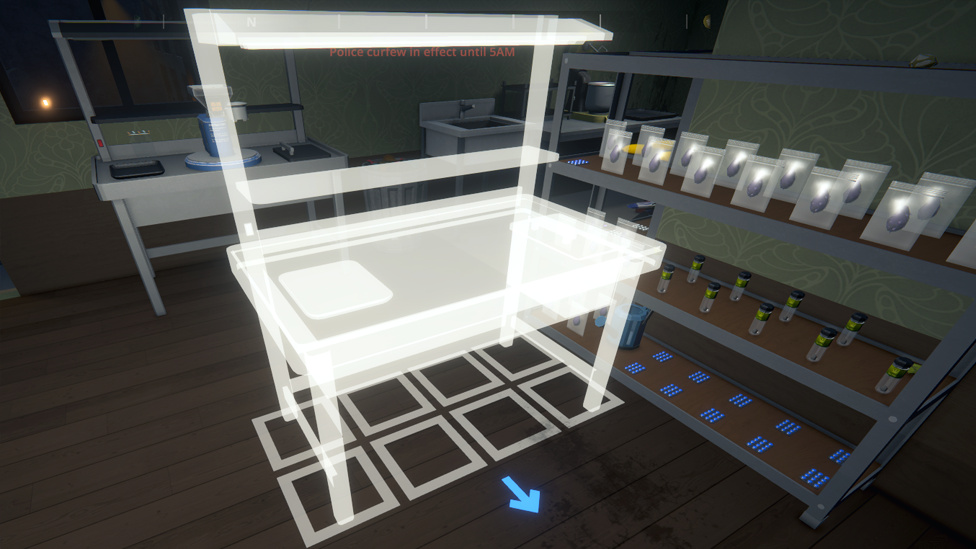
- You’ll see an outline of the furniture appear when the spot is valid.
- Use Q or E to rotate the item so it fits just the way you want it.
- Left-click to place it. That’s it. You’ve just redecorated with all the swagger of a cartel kingpin. Make sure to take advantage of every square foot. Corners are your friends, and having pathways to walk through can make your whole setup way easier to manage.
Moving Bases? Bring Your Stuff!
Here’s something a lot of players forget: when you move to a new base in Schedule 1, you can take your Schedule 1 furniture and equipment with you. You don’t need to buy brand new everything. That’s just bad business. So before moving:
- Go through your current base.
- Pick up all the important equipment.
- Leave no grow tent behind! Your gear is valuable, and you worked hard (illegally, but still) to get it. Don’t waste money replacing stuff you already own.
Furniture Tetris: Build for Efficiency
Think of your base like a tiny criminal factory. You want stations close enough to access quickly, but not so tight that you’re constantly running into things. Here’s a few layout tips:
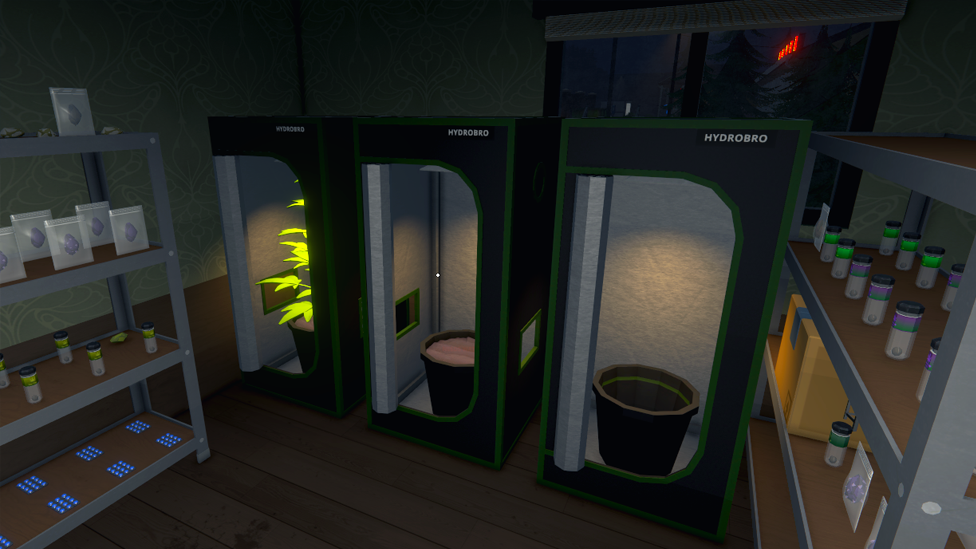
- Place grow tents along the walls to free up center space.
- Keep processing stations together for smoother production flow.
- Leave walkways between your main work zones—you’ll thank yourself later. You’re not just a drug lord. You’re a logistics master now.
Dominate Every Gaming Session with Scalacube
If you want smooth gameplay, zero lag, and full control, ScalaCube’s game server hosting is the way to go. Built for gamers who need reliability and speed, ScalaCube offers 99.9% uptime, zero latency, and custom server configurations to match your unique setup. With full FTP access, mod and plugin support, automated backups, and 24/7 support, you’ll be fully equipped to host intense sessions without interruptions. Plus, DDoS protection and global server locations keep your empire safe and always online. Now take all that performance and drop it into Schedule 1—a gritty crime sim where you rise from a broke dealer to a kingpin in the rough streets of Hyland Point. With drug production, street distribution, automated operations, and deadly cartel warfare, you need a server that can keep up.
Wrapping Up
Knowing how to move furniture in Schedule 1 gives you complete control over your criminal empire’s layout. Whether you're rearranging your base for efficiency or relocating entirely, being able to pick up, rotate, and place Schedule 1 furniture is a game-changer. Just remember:
- Right-click to pick up, but only when it’s empty.
- Q and E to rotate.
- Left-click to place when the outline looks good.
- And if you're moving locations, take your stuff with you! Your operation deserves a setup that works for you—not against you. Now go forth and furnish your empire like a true mastermind.
FAQs
Can I move furniture with items inside?
No! You’ll need to empty the furniture first before you can pick it up.
How do I rotate furniture while placing it?
Use Q and E on your keyboard to rotate the item before placing it with left-click.
Can I take furniture with me when I move bases?
Absolutely. Just pick it all up before you leave and bring it along to your new base to save money.