How to Keep Items on Death in Palworld
Palworld is full of challenges, and sometimes, it’s inevitable that you’ll end up losing out, be it to a rampaging Alpha Pal, a blazing set of anti flight turrets, or even just an unexpected jump from a wild species while your team is weak? In any case, defeat is unavoidable at some point in time - and you’ll drop much of your inventory when you are taken out. This can be incredibly frustrating, especially if you’re carrying rare gear. Luckily, there are several ways that you can keep your items on death in Palworld, giving you some peace of mind while exploring dangerous areas - and we’ve outlined a few of these today to help!
What Happens to my Items When I Die in Palworld?

Make Your Own Palworld Server
When your character dies in Palworld, you’ll generally drop most of the items from your inventory - and, while you can return to the spot where you fell to pick them back up, this isn’t always simple. Indeed, enemies, hazards, or distance can make retrieving items difficult — or even impossible if you’re unlucky. For example, if you’ve died somewhere that’s impossible to get to again, your items could be lost forever!
How to Keep Items After Death in Palworld
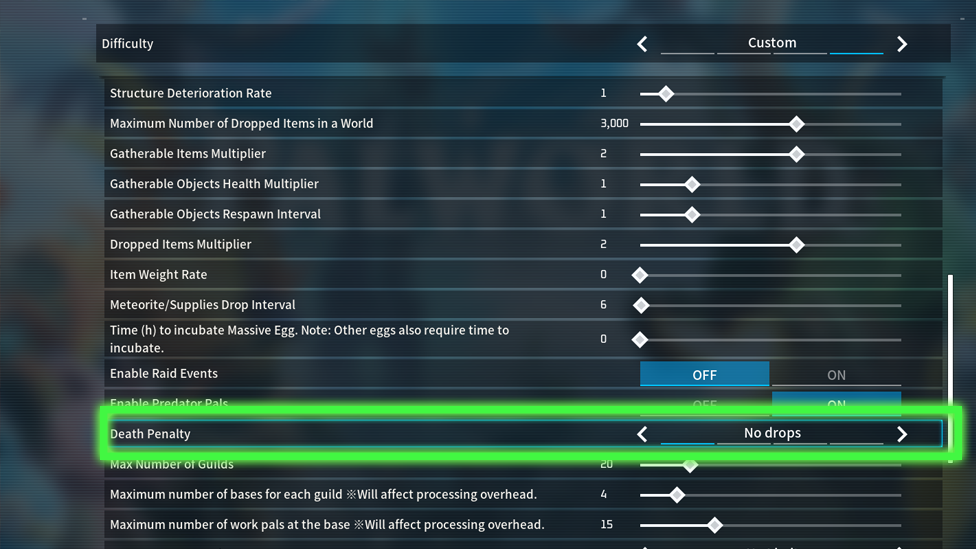
As we’ve seen thus far, your items in Palworld are at significant risk of getting lost if you die during your travels - but fortunately, it is potentially possible to keep your items after death in Palworld. However, this does require you to tweak with the game’s settings; as such, it’s generally recommended to launch your game initially on a private Palworld server to ensure that you’ll have full access to your server settings just in case you need them!
In order to change your game’s settings to keep items after your death, you’ll first need to open your World Settings menu. Then, head to the custom settings and look out for the Death Penalty setting; set this to no drops to prevent the game from losing your items when you die. However, that assumes you’ve had time to plan in advance (and that you have control over the server settings). However, if the Death Penalty is still in place for your game, and you want to prevent your character from losing their items when you die, you can try the restart hack.
For this, immediately close down the game completely at the moment you die; you’ll need to be really quick, as you effectively need to shut the game before it can register and record your death. Then, when you reload the game, you should find that you’ll be in roughly the same location; however, you’ll still be alive and have all of your loot on you! Definitely useful if you’ve been feeling frustrated about losing your gear in really awkward places every time you die in the game.
Why Turn Off the Death Penalty Setting?
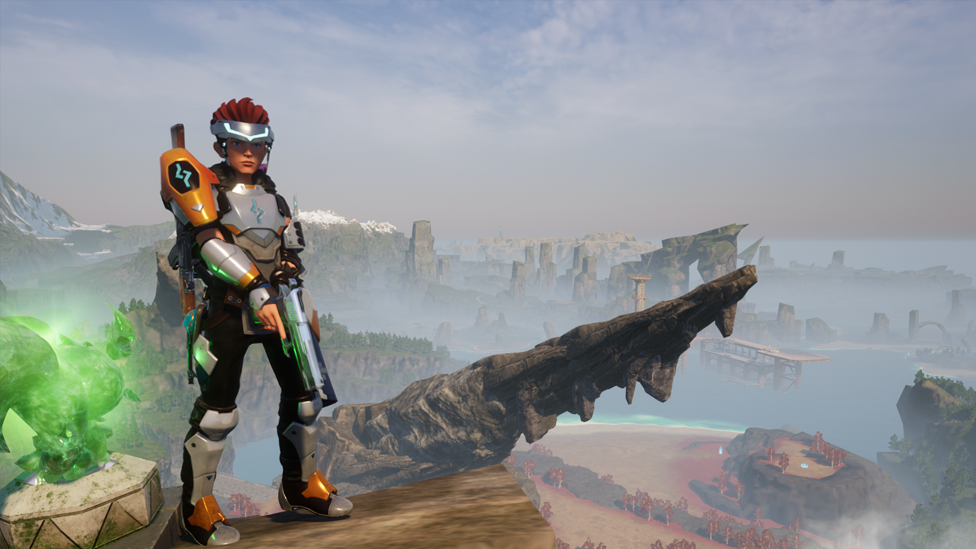
There are two ways to avoid the Death Penalty and losing your items in Palworld, with modifying your server settings being the more reliable of the two. However, it’s important to note here that this will completely turn off losing your items, which may lower the stakes of the game somewhat! Nevertheless, this has the benefit of being far less frustrating and allows for far better exploration of new areas that might be risky; as such, the value of turning off the Death Penalty setting is pretty clear to see! Of course, this does require that you’re playing on your own server in most cases, though. Indeed, multiplayer servers may have preset rules that you can’t change — meaning you might still drop items on death (in which case, your only option would be to use the restart glitch). And don’t forget: some players prefer the challenge of losing items if they get it wrong, so this option is entirely down to how you want to experience the game.
FAQs
How can I stop myself from losing items when I die in Palworld?
To stop losing or dropping items when you die in Palworld, you’ll need to disable Death Penalties in the server settings. Alternatively, you could always try the restart glitch as a last resort if you die (before your death saves on the game).
Will I lose my Pals if I die in Palworld?
Yes! It’s not just your items you risk losing if you die in Palworld; your Pals can also run away, too! As such, it’s important to know what Death Penalty settings your game is running on. You can customize the Death Penalty in your game’s settings.
Final Thoughts
By learning how to keep items on death in Palworld, you can make your gameplay smoother and less stressful. Whether you want the safety net for exploring dangerous dungeons or simply don’t want to lose progress, toggling this option ensures you stay in control of your adventure.