How To Chance Your Voice In Monster Hunter Wilds
Let’s be real—when you boot up Monster Hunter Wilds and dive into that juicy character creator, it’s easy to get lost in the world of hairstyles, scars, and nose angles. You tweak everything to perfection, give your Palico a smug little smirk, and hit start. But then… you hear your Palico talk. And it's not the chirpy Felyne mumble you remember from the old games—it’s straight-up English.
Or maybe your Hunter sounds like a hype announcer at a wrestling match, and you’re starting to second-guess your vibe. Don’t worry. You’re not stuck with any of it. Whether you’re dealing with unexpected voice choices or just want to experiment with pitch and personality, the game lets you change voice Monster Hunter Wilds at any point during your adventure. Yep, no need to restart the game or re-roll your character. Here’s exactly how to do it.
How to Change Your Hunter's Voice in Monster Hunter Wilds
Make Your Own game Server
Wondering how to change voice monster hunter wilds? First things first—yes, you can absolutely change character voice Monster Hunter WIlds after character creation. If you didn’t like the way your Hunter yells mid-combo or cheers after a successful hunt, you can fix that quick. Here’s how to do it:
-
Head to Your Tent: You can do this at any camp during a mission or in the hub area. It’s your one-stop shop for all things gear and appearance.
-
Open the Appearance Menu: Once you’re inside the Tent, find the option called Appearance Menu. This is where the magic happens.
-
Select Change Appearance: This will boot up the same character creator you saw at the beginning of the game. You’ll get to re-enter the character lab without losing progress.
-
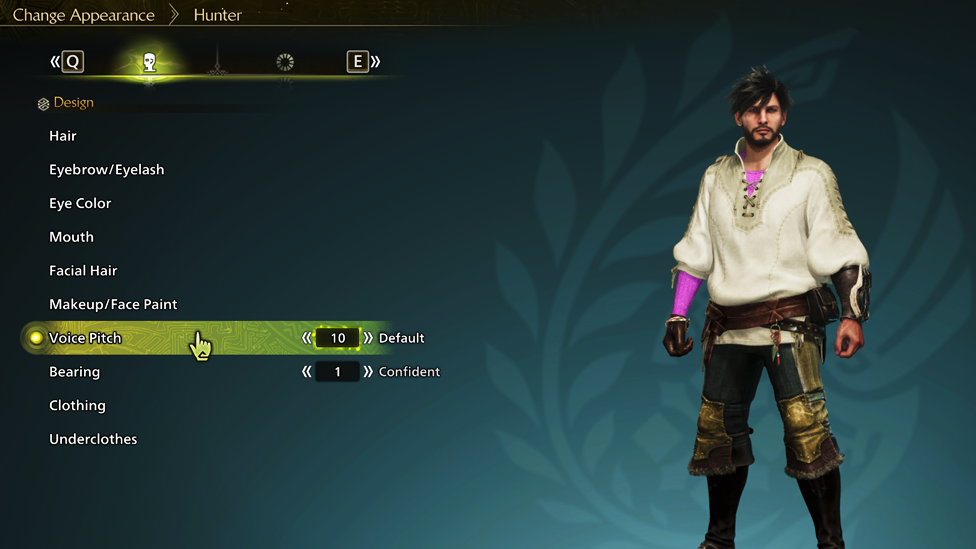
Pick the Hunter Option: Now that you’re back in the editor, select Hunter to make changes to your main character.
-
Scroll to the Voice Pitch Option: Near the bottom of the customization options, you’ll find the Voice Pitch setting. There are 20 different pitches to choose from—ranging from soft and subtle to loud and commanding.
Choose something that actually feels right for your character. Maybe you want a calm, mysterious vibe. Or maybe your Hunter should sound like they're ready to headbutt a Diablos. Totally your call. Pro tip: While you’re in the Appearance Menu, you can also head into Equipment Appearance to hide helmets or armor pieces if you want to match your aesthetic even more.
How to Change Your Palico's Voice Monster Hunter Wilds
Want to change palico voice monster hunter wilds? Okay, now let’s talk about your furry sidekick. Some of us love the charm of a talking cat. Others… not so much. If your Palico’s human-like dialogue is throwing off your groove, you’ve got options. Here’s how to tweak it:
-
Same Tent, Same Menu: Head back into your Tent and open the Appearance Menu again.
-
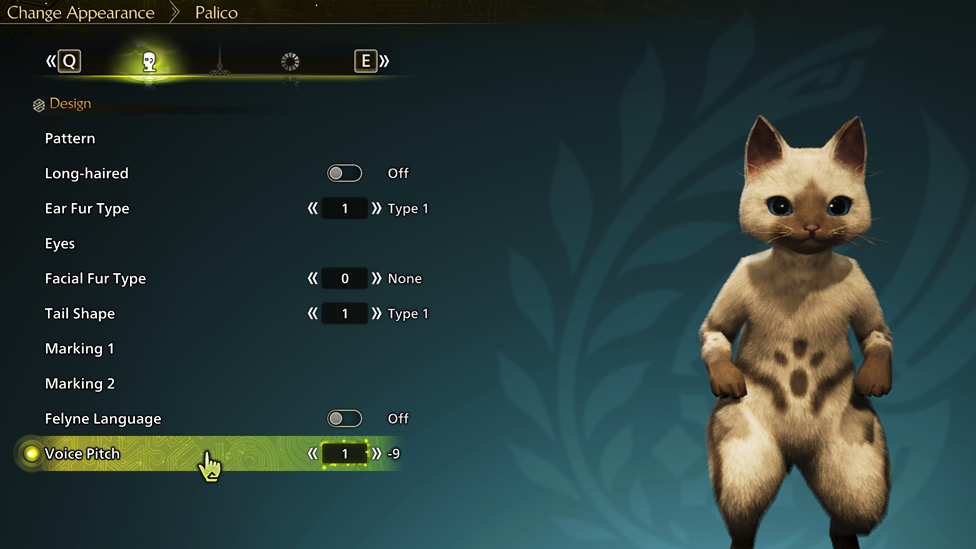
Select Change Appearance - Palico: This time, you’re going to edit your Palico instead of your Hunter.
-
Adjust the Voice Pitch: Like your Hunter, your Palico has 20 voice pitches to choose from. Some are squeaky and adorable, others sound like a battle-hardened warrior. You do you.
-
Toggle Felyne Language On: This is the big one. If you’re feeling nostalgic or just want your Palico to meow and chirp instead of chatting in full sentences, flip on the Felyne Language toggle. Your Palico will instantly go back to their classic Monster Hunter chatter.
Fun fact: According to the lore, Palicos can speak human languages, but most prefer their own. So changing it back to Felyne gibberish is technically canon!
Why Voice Customization Matters
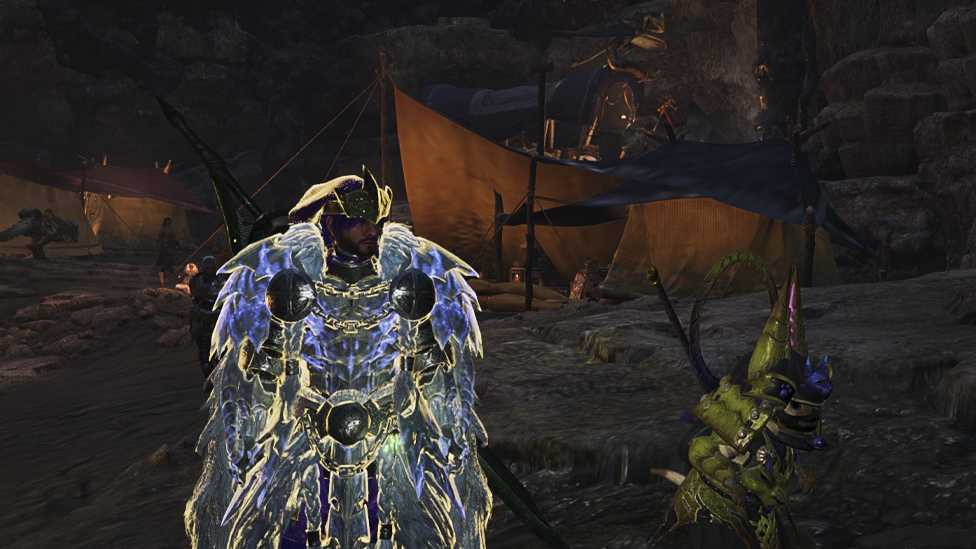
Sure, you might think it’s a small thing, but voice really affects how your Hunter feels in the world. That triumphant yell after taking down a monster? It hits different depending on the voice you pick. And your Palico’s commentary during battles or while cooking up a meal? Total vibe-setter. What’s awesome about Monster Hunter Wilds is that it doesn’t lock you into your choices. Unlike older RPGs that make you live with your decisions forever, this game lets you fine-tune your experience as you go. Want to make your Hunter sound like a deep-voiced rogue after a few story beats? Go for it. Want your Palico to stop sounding like your little brother? Easy fix. Just pop into your Tent and make the change.
The Only Game Server Hosting You Need For A Seamless Experience
Looking for smooth, uninterrupted gameplay without the frustration of lag or random disconnects? ScalaCube’s reliable game server hosting is exactly what you need. Teaming up with a dedicated ScalaCube server takes your Monster Hunter Wilds experience to the next level. With custom configurations, guaranteed uptime, and ultra-low latency, every hunt becomes seamless and immersive. But there’s more—ScalaCube offers full FTP access, mod and plugin support, powerful DDoS protection, and round-the-clock customer service, all at highly competitive prices. Whether you're setting up a custom world or managing your own hunting party, you’re always in control.
Wrapping Up
So there you have it—changing your voice in Monster Hunter Wilds is as easy as a quick Tent visit. Whether you’re adjusting your Hunter’s tone or switching your Palico from English to classic Felyne, the game gives you full control over your crew’s vibes. Don’t be afraid to play around with voice pitch or settings until it feels just right. After all, your Hunter and Palico aren’t just avatars—they’re your partners on a wild ride through this monster-filled world. Might as well make sure they sound awesome while they’re at it.
FAQs
[schemaHowto=Can I change my Hunter's voice mid-game in Monster Hunter Wilds? ]
[/schemaHowto] Yes! Just head to your Tent, open the Appearance Menu, and you can change your Hunter's voice pitch anytime—no need to restart your game. [/schemaHowto]
How do I make my Palico speak in the Felyne language again?
Go to the Tent, open the Change Appearance option, select Palico, and toggle on the Felyne Language setting. Your Palico will meow and chirp just like the good ol’ days.
Does changing the voice affect gameplay or stats?
No! It’s purely cosmetic. You can tweak voice settings as much as you want without impacting performance or abilities.