How To Add Palworld Server Password
The first step is to go to Scalacube.com and log into your account.

Then find your server under "Servers" tab and click "Manage Server".

After finding your server and using the "Manage" button find "Settings" on the left side menu.

In the settings tab go to "Server Settings" and add your password to the space dedicated to "ServerPassword" and save the changes.
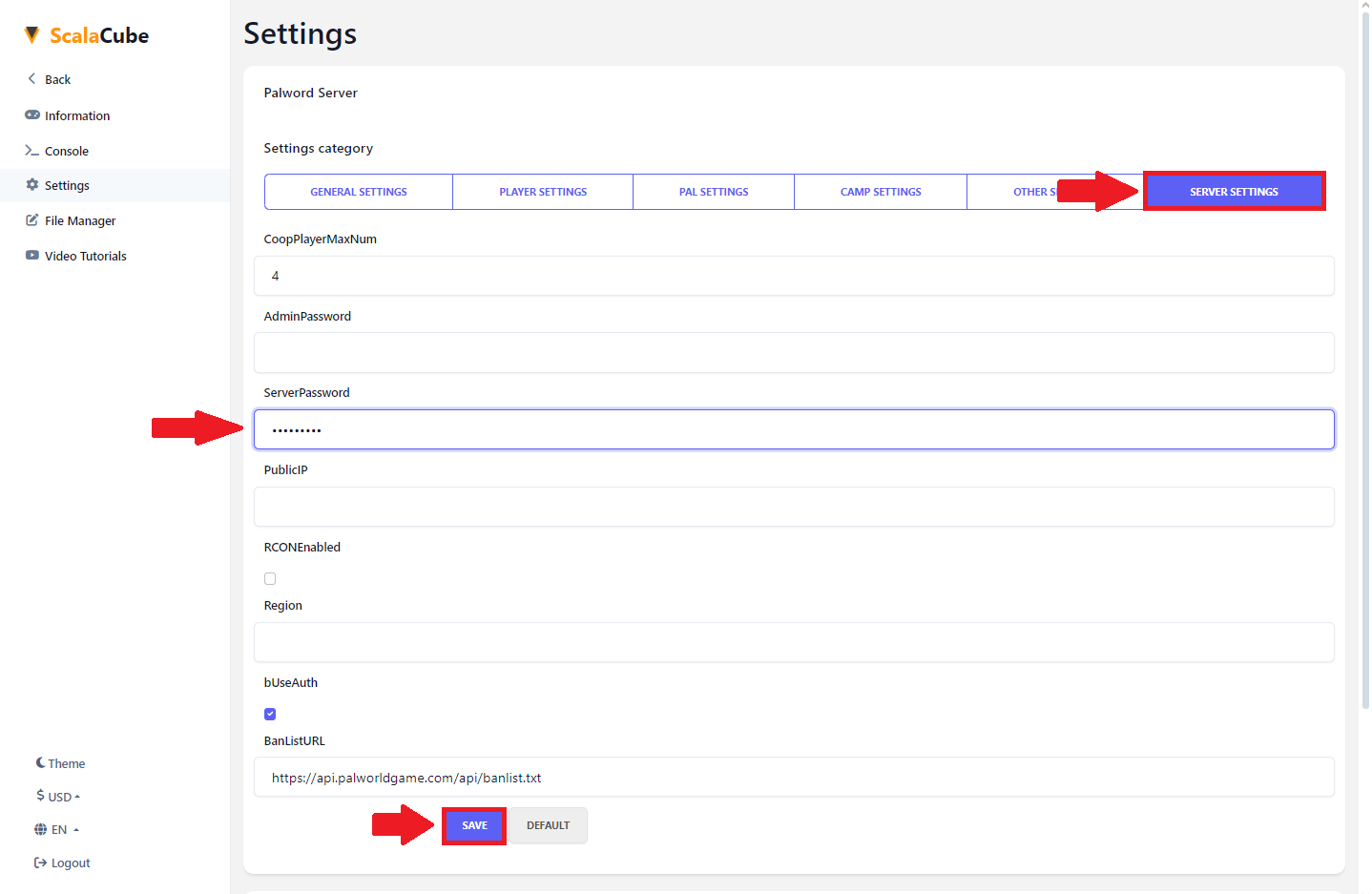
Summary:
- Log In
- Manage Server
- Find Settings
- Add password and save