How to Change Appearance in Oblivion Remastered
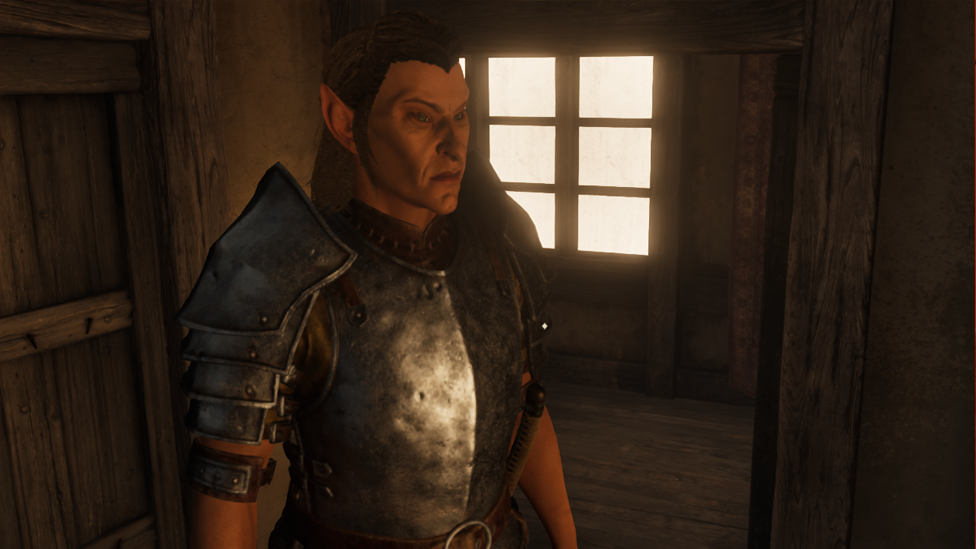
Let’s face it. Not everyone likes the characters they made in the Imperial City Jail and Sewers for Oblivion Remastered, so they try to see if there’s a magic spell to design a new face. Unfortunately, there is no such magic. How then, can players change the appearance of characters in Oblivion Remastered? They’ll have to use the traditional way.
Even though there’s a way for players to modify their character appearance in Oblivion Remastered, this can only be done on PC. It’s simply because it requires the use of console commands. If you need the console command, you have come to the right place. This article will show you how to use appearance change in oblivion remastered.
Make Your Own game Server
Simple Way to Change Appearance of Your Character in Oblivion Remastered
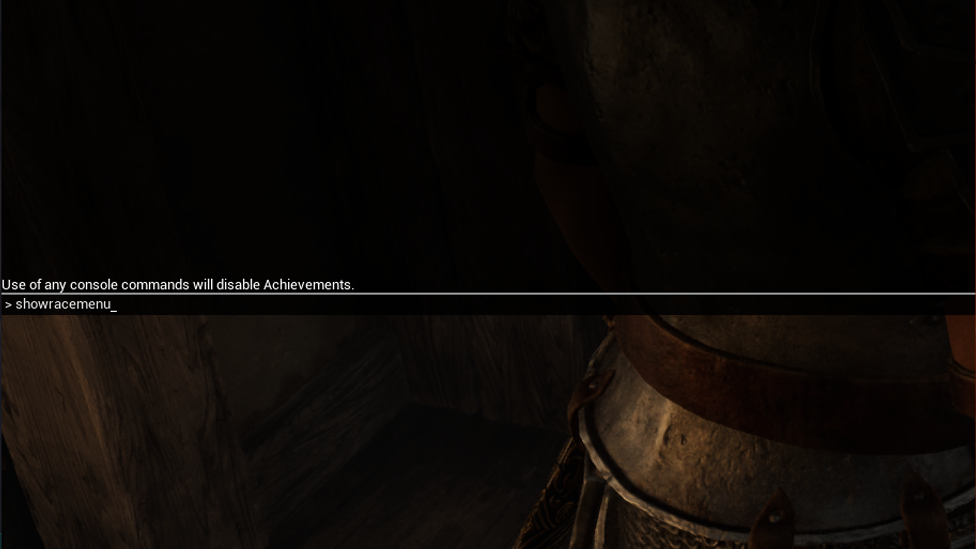
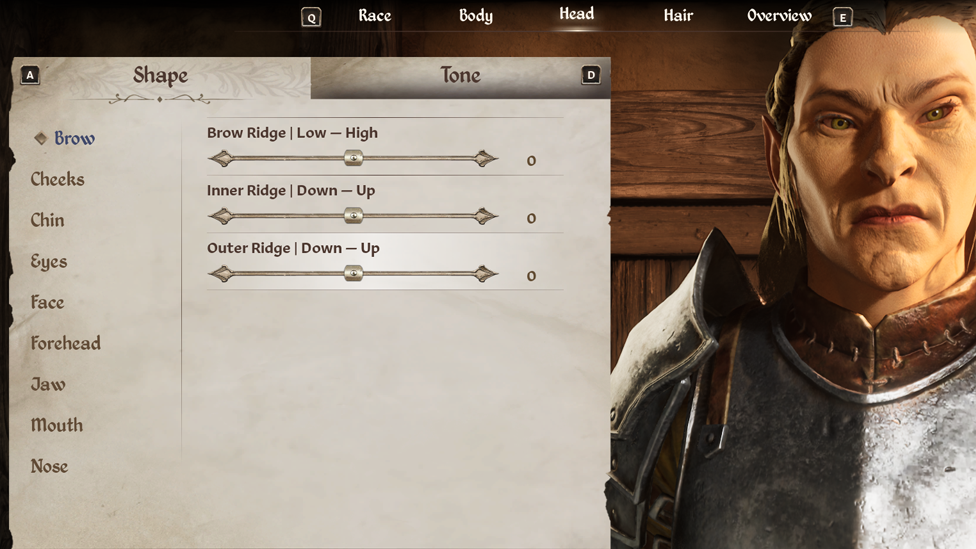
In Oblivion Remastered on PC, you can only alter your character's appearance with the console keys (~) or ('). Once inside the console command box, you just need to type showracemenu. You can also access the character edit menu again by pressing the ~ key after typing this prompt in the console instructions. The race, body, head, hair, and name of the character can then be altered easily. This will reset your level if you switch races, but it won't reset your quest or world progress.
Once you’re done modifying your character, you can navigate to the overview tab and click continue to accept the modifications you have made. This will allow you to continue with your game. Save with the new character at this point but keep in mind that console commands will disable achievements.
How Scalacube Services Can Enhance Your Appearance Customization in Oblivion Remastered
Changing how your character looks in Oblivion Remastered can be one of the most fun parts of the game, especially if you're using mods for new hairstyles, faces, body textures or armor sets. But if you’ve ever worried about breaking your game or losing progress while experimenting, using a private server setup through a hosting service like ScalaCube can make the whole process a lot safer and more fun. With Scalacube, you have nothing to fear, no lag, and no progress loss.
Despite its popularity for hosting games like Minecraft, ScalaCube's features are still quite useful for modified single-player or cooperative sessions. With your own little server, you can upload appearance mods over FTP and experiment with as many different looks as you like without compromising your primary save file. Instead of beginning over in the event of an error, you can easily restore a backup. If you like to play or role-play with pals, this is ideal. Others can join your server once it's up and running to witness the real-time appearance of your newly created character. With servers spread across several locations and reliable uptime, ScalaCube ensures that no one experiences irksome lag or drops.
The process of setting up is rather simple: choose a server location that is close by, upload your mods, load your character, and begin tinkering. Do you want a whole image makeover, a new scar, or new eyes? Make it happen. Simply use the integrated backup mechanism to roll everything back and try again if you're unhappy with the outcome.
The best part is that you can test different looks, combine armor and body mods, or even run small “makeover sessions” with friends watching or helping. It keeps everything organized and separate from your main adventure, so there’s zero risk to your progress.
In the end, changing your appearance in Oblivion might be a solo feature, but hosting it on ScalaCube turns it into a smoother, safer, and more social experience. Want to enjoy your gaming experience without any hitch? Then it’s time to check out Scalacube and enjoy premium services.
FAQs
Can I Change My Character’s Appearance in Oblivion Remastered Without Starting a New Game?
Yes, but only on PC. You can reopen the character creation menu using console commands. Press the ~ or ' key to open the console, then type showracemenu to edit your character’s race, face, hair, and name, and your character’s appearance becomes good as new all without creating a new save file. After this, it’s very easy to change character appearance.
Will Using Showracemenu Reset My Progress or Stats?
Your quest progress and world events won't be impacted by using showracemenu. It's crucial to save your game in advance because changing your character's race could cause your abilities and characteristics to reset. If you switch races, your levels might change rather than entirely restart. Simply put, your game is not affected by using this option, so you have nothing to be worried about when you are using the Showracemenu.
Do Console Commands Disable Achievements in Oblivion Remastered?
Yes. Once you use any console command, including showracemenu, you will lose all the progress made. To avoid losing achievement progress, create a backup save before using console commands. So, you have to be very careful using the console command and only use it where necessary.
Conclusion
To make gaming more immersive, PC users must utilize console commands to change the appearance of their characters in Oblivion Remastered; it’s not as easy as going to a healer or wizard. The showracemenu command and a quick press of the ~ key let you change your character's name, race, hair, and face to match how they were at the start of the game. However, this freedom has some drawbacks: using all consoles removes achievements, and switching races might reset attributes.
Still, for players who regret their original character design or want a fresh look without restarting their journey across Cyrodiil, this method is the perfect solution. Just remember to save before editing, make your changes carefully, and step back into Tamriel looking exactly the way you envisioned.
Learning how to use these keys will not just save precious time but also allow you to gain experience in these types of situations. Above all, it makes your gaming more interesting and enjoyable.